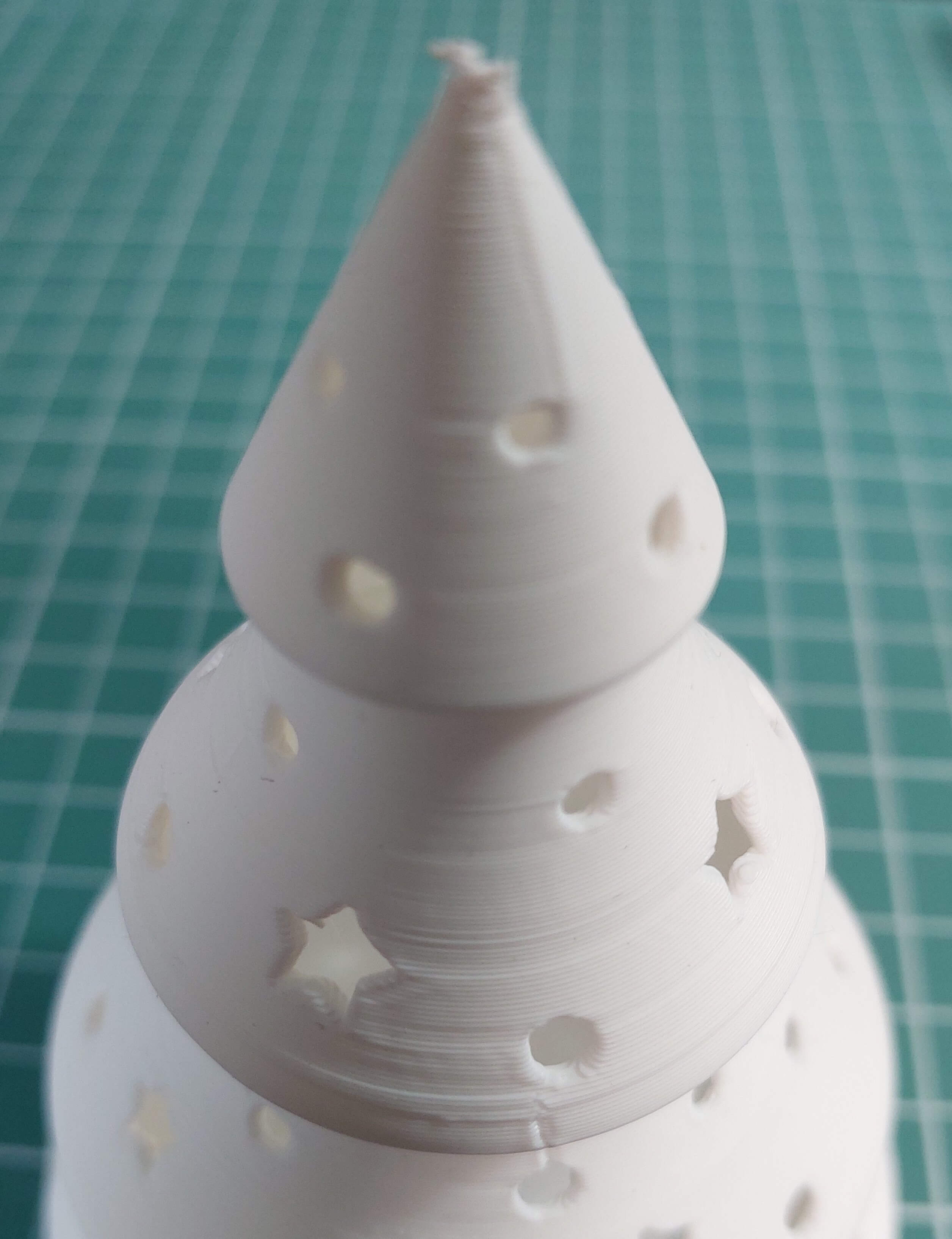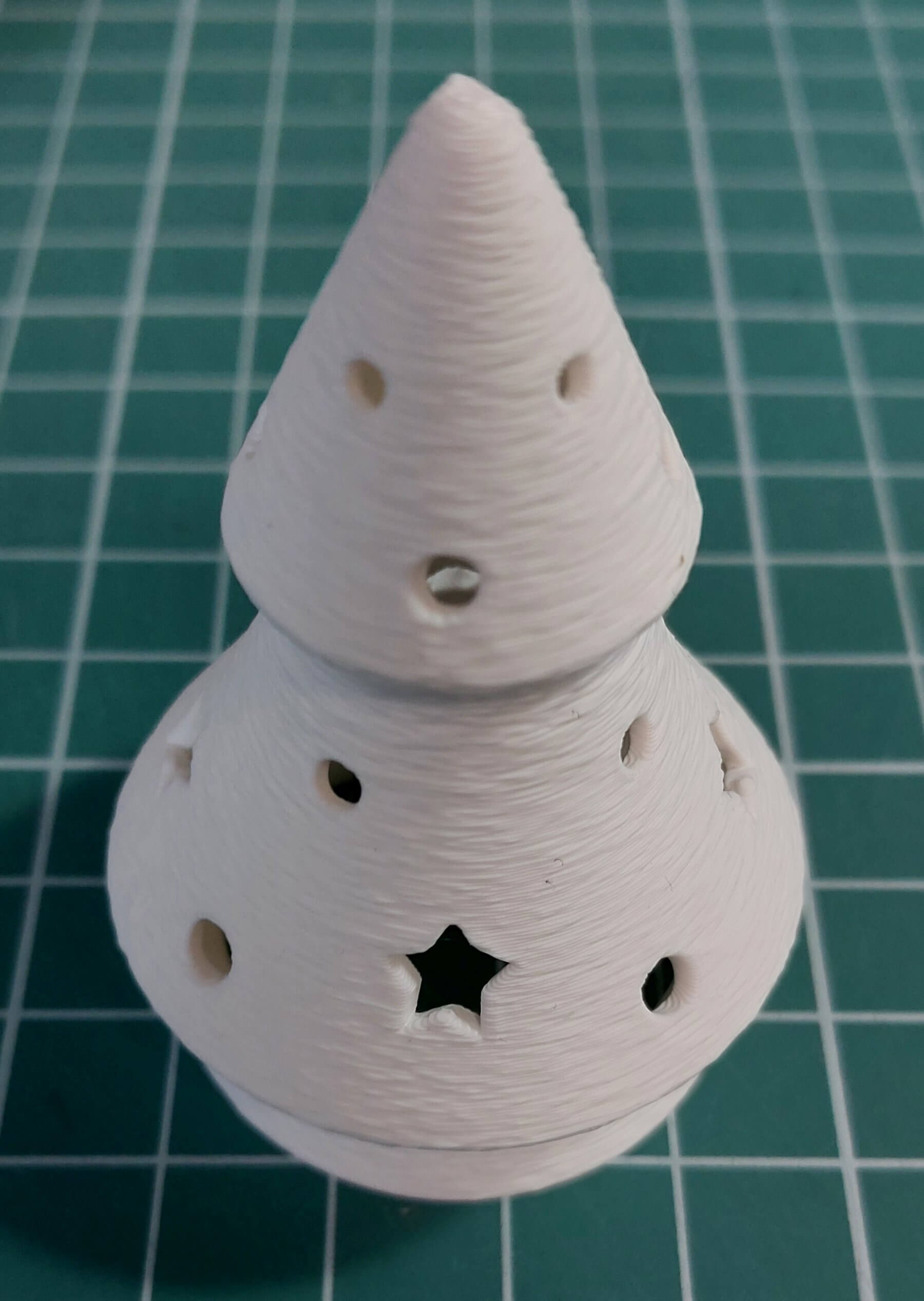
Layer time lines? Seam? - fuzzy skin, easy way to cover imperfection
I'm pretty sure we all know these two problems with print quality:
- layer time lines - horizontal lines that appear on print making it's surface look like it was put together from pieces, caused by plastic shrinkage where one of layers took much less time to print than the other
- seam - the result of how layers are printed, a spot where hotend started/stopped printing layer and moved on to next one, usually a tiny dot/blop on print
There are of course ways to mitigate these issues by fine tuning print settings but when time is of essence I found an easy way out.
Fuzzy skin. Just as it name suggest it adds fuzzinies to surface of your print. A set of deliberately made imperfection to give it distinctive texture.
It can effectively hide typical print imperfections and even give it more fine look depending on the model.
Below two examples. Regular print with visible imperfection and then exactly same print but with fuzzy skin to hide them. It was christmass tree print so as a bonus it got a nice needle-ish look.
Settings used: Fuzzy Skin point distance 1mm, Fuzzy Skin thickness 0.15mm