블로그

최신 3D 프린팅 뉴스와 전문가 인사이트를 통해 더 나은 경험을 만나보세요. SUNLU는 글로벌 행사에 적극적으로 참여하고, 고품질 소재를 제공하며, 전 세계 고객에게 최상의 서비스를 제공하겠다는 약속을 실천함으로써 업계 트렌드를 선도하고 있습니다.

What Is Resin 3D Printing and How Does It Work?

Products Knowledge

What Is Resin 3D Printing and How Does It Work?

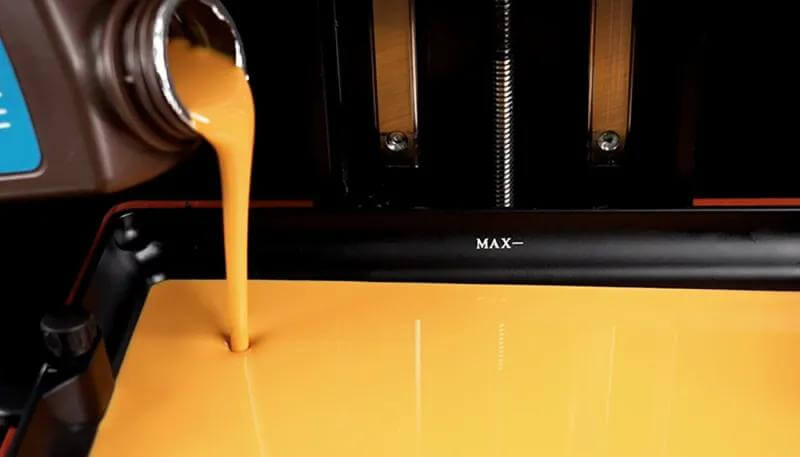
Resin 3D printing has become widely popular among hobbyists, designers, engineers, and model makers with its capability to produce smooth surfaces and fine details. It suits miniatures, prototypes, jewelry models, decorative parts, and components with small or complex features.But what exactly is resin 3D printing? How does it turn liquid into a solid object? Which resin should you choose? This guide answers these questions and explains everything you need to know before getting started.What Is Resin 3D Printing?Resin 3D printing is an additive manufacturing process that uses ultraviolet light to convert liquid photopolymer resin into solid plastic. The printer creates the object one thin layer at a time from a digital 3D model. Unlike FDM printing, which melts and deposits filament materials, resin printing relies on light curing technology to achieve finer details, smoother surfaces, and higher precision.The main vat photopolymerization methods include SLA, DLP, and MSLA. SLA typically uses a laser to trace each layer. DLP projects a complete layer image, while MSLA directs UV light through an LCD mask. The light systems of these methods differ but they all cure selected areas of liquid resin.How Does Resin 3D Printing Work?The process starts with a digital 3D file. Slicer software can divide the model into thin layers and calculate supports, orientation, and exposure settings. The user then fills the printer vat with compatible liquid resin.In a common desktop LCD printer, the build plate lowers toward the transparent film at the bottom of the vat. UV light passes through the LCD screen and hardens the shape of the first layer. The plate then lifts slightly so fresh resin can flow beneath the cured material. The printer repeats this cycle until the complete object forms on the build plate.The printed part still requires post-processing. A wash can remove uncured resin from the print’s surface. Standard resins should be cleaned with isopropyl alcohol (IPA) or a compatible resin cleaner, while water-washable resins can be cleaned with water. After drying, the part is exposed to UV light to complete the curing process and achieve its intended mechanical properties. Supports can then be removed, and any support marks can be sanded or finished as needed.Throughout the process, users should wear suitable gloves, ensure adequate ventilation, and follow all resin safety guidelines. Uncured resin, contaminated solvent, and used wash water should not be poured down household drains. Always dispose of these materials according to local waste regulations.Types of Resin Used in 3D PrintingThere are many types of 3D print resin, each type having different properties and applications.l Standard resin provides crisp detail, a smooth finish, and straightforward print settings. It’s a solid choice for display models, figurines, visual prototypes, and general hobby projects, though standard resins tend to be more brittle than functional ones.l Toughness resin offers greater impact resistance and durability, making it well suited for enclosures, brackets, tools, and prototypes that need to withstand moderate stress.l Flexible resin produces parts that can bend or compress. Common applications include grips, soft-touch parts, seals, wearable prototypes, and components requiring elasticity. Flexible resin often calls for careful support placement and finely tuned exposure settings.l Water-washable resin lets users clean surface residue with water instead of isopropyl alcohol, simplifying cleanup. The resulting wash water still contains resin and requires responsible disposal.l Engineering resin is formulated for specific technical needs, offering properties such as high heat resistance, stiffness, toughness, or low deformation depending on the formula. Users need to match the resin’s technical data to their printer and application.How Resin Quality Impacts Print ResultsLow-quality resin can undermine the accuracy, appearance, and strength of a print.Dimensional accuracy suffers first. Inconsistent formulas shrink unpredictably and cure unevenly, which throws off holes, walls, joints, and other mechanical features. The result is often warped surfaces, incorrect dimensions, or parts that don’t fit together properly during assembly.Aesthetics take a hit too. Sediment, contamination, or an unstable resin mixture can cause color variation, blotchy patches, and loss of fine texture. Edges that should be crisp can come out soft or uneven.Structural integrity is where poor resin quality shows up most seriously. Uneven curing weakens the bond between layers, leaving parts prone to cracking, delamination, or premature failure under stress.SUNLU Provides High-Quality Resin for 3D PrintingAt SUNLU, we offer a broad selection of high-quality resin for common LCD, DLP, and SLA applications. Our range includes Standard Resin, Standard Plus Resin, Water-Wash Standard Resin, ABS-Like Resin, Water-Wash ABS-Like Resin, Toughness Resin, Flexible Resin, PA-Like Resin, High Clear Resin, and High Temperature Plus Resin.This variety helps you select a formula based on detail, cleanup method, flexibility, toughness, clarity, or heat resistance. For example, our Water-Wash Standard Resin supports water cleanup and produces rigid models with clear details. Our Toughness and ABS-like options suit parts that require more durability than conventional standard resin, while our specialized products meet a range of visual and functional needs.Before use, check your printer’s wavelength requirements and the recommended exposure settings. Shake the sealed bottle as directed and print a small calibration model first. These steps help you achieve consistent results with SUNLU 3D print resin.You can also join the SUNLU Community to ask questions, share your 3D projects, and learn from other 3D printing enthusiasts. ConclusionResin 3D printing uses controlled UV light to build precise plastic objects from liquid photopolymer resin. Its smooth finish and fine detail make it useful for models, prototypes, artistic pieces, and specialized components. For consistent and reliable results, choose high-quality resin that matches your application. Explore SUNLU’s range of 3D print resin to find the right material for your next project.

What Is 3D Printer Filament?

Products Knowledge

What Is 3D Printer Filament?

3D printer filament is a type of continuous thermoplastic strand used in fused deposition modeling (FDM), also known as fused filament fabrication (FFF). During a print, the printer feeds the strand into a heated nozzle. The nozzle melts the material and deposits it layer by layer to create a three-dimensional object.This guide explains the main material types, common applications, purchase considerations, quality factors, and proper storage methods. Read on to learn more!Types of 3D Printer FilamentsMaterial choice affects printability, surface appearance, flexibility, strength, and resistance to heat or chemicals. The following options cover a wide range of projects:PLA: Polylactic acid is easy to use and works well for models, decorations, prototypes, and classroom projects. However, PLA has limited heat resistance and may not suit parts exposed to high temperatures.PETG: Polyethylene terephthalate glycol offers a useful balance of toughness, chemical resistance, and printability. It is a practical choice for containers, brackets, protective covers, and general-purpose functional parts.ABS: Acrylonitrile butadiene styrene provides good toughness and heat resistance. It is common in durable prototypes, enclosures, and mechanical components. ABS can warp as it cools, so an enclosed printer and suitable ventilation can improve results.TPU: Thermoplastic polyurethane is a flexible material used for seals, grips, protective cases, soft hinges, and impact-resistant parts. Its softness can make precise extrusion more difficult, especially with some feed systems.PP: Polypropylene is lightweight and resistant to many chemicals. Common uses include living hinges, containers, and laboratory components. Its low surface energy can make bed adhesion difficult.PC: Polycarbonate offers high strength, impact resistance, and better heat resistance than common hobby materials. It suits demanding functional components, but it usually requires high nozzle temperatures, a heated bed, and an enclosed printer.PEEK: Polyether ether ketone is a high-performance engineering polymer with strong mechanical, thermal, and chemical properties. It requires specialized equipment that can reach and maintain very high temperatures, so it is more common in industrial applications.Common 3D Printer Filament Sizes3D printer filament is available in several diameters, with 1.75 mm and 2.85 mm being the most common. The 1.75 mm size is widely used by desktop FDM printers because it melts quickly, is easy to feed, and works with a broad range of printer models. The 2.85 mm size is used by certain professional and older printer systems and can provide a more rigid feed path.Always check your printer and extruder specifications before purchasing filament. A printer designed for 1.75 mm filament cannot normally use 2.85 mm filament without hardware changes. In addition to selecting the correct nominal size, choose filament with a tight diameter tolerance to support consistent extrusion and dimensional accuracy.Common Applications of 3D Printer FilamentDesigners use filament to produce prototypes that help them check dimensions, ergonomics, and part fit before full-scale production. Film, theater, and cosplay creators use it for props, armor pieces, masks, and detailed accessories. Schools can create anatomical models, geometric shapes, historical replicas, and other educational aids.Filament also works well for toys, figurines, puzzles, and hobby projects. More durable materials support functional parts such as brackets, tool holders, housings, clips, jigs, and replacement components.What to Consider When Buying 3D Printer FilamentNot every spool will work well with every printer or project. Before you choose one, take a moment to consider these key factors:1. Diameter ToleranceLook for filament with a tight and consistent diameter tolerance. Large variations can cause uneven extrusion, dimensional inaccuracies, weak layers, or nozzle clogs.2. Printer CompatibilityConfirm that the hot end can reach the required temperature. Some materials also need a heated bed, enclosure, hardened nozzle, or specialized extruder. Flexible TPU, for example, may feed more reliably through an extruder with a short filament path.3. Spool WindingThe filament should unwind smoothly without knots, tangles, or severe overlaps. Poor spool winding can disrupt the filament feed and cause a print to fail.4. Intended UseMatch the material to the part’s environment. PLA may suit a display model, while PETG, ABS, or PC may suit a functional component. TPU is appropriate when the part must bend or absorb impact.5. Cost EfficiencyDo not focus on price alone. Consider the filament’s quality, read product reviews, and check other users’ experiences to see whether it delivers consistent results and good value for the price.Why the Quality of Filament MattersFilament quality has a direct effect on extrusion and final part strength. If strand diameter varies too much, the printer may deposit too much or too little material. This can cause rough surfaces, dimensional errors, weak layers, or gaps in the finished part.Contaminated, brittle, or poorly manufactured filament may also clog the nozzle. Poor spool winding can restrict the feed path during a long job. These problems waste filament and print time, and they may cause the entire job to fail.By contrast, high-quality filament helps maintain consistent extrusion, accurate dimensions, smooth surfaces, and strong layer bonding. These benefits improve the appearance and reliability of printed parts and are especially important for functional components that must withstand regular use.For users who want dependable 3D printing filament, SUNLU provides high-quality 3D filament options. You can choose from a range of filament types to suit different printers, projects, and performance needs.How to Store 3D Printer FilamentMany filament materials absorb moisture from the air. Once damp, they may cause stringing, whitening, or bubbling during a print. Proper storage helps prevent these problems and preserve filament quality.Keep opened spools in airtight containers or resealable vacuum bags with desiccant packs. Replace or reactivate the desiccant when necessary.If the filament has already absorbed moisture, place it in a filament dryer and use settings suitable for the material. Note that the right dry temperatures vary among PLA, PETG, TPU, PC, PEEK, and other filaments. Excessive heat can soften the filament or deform the spool, so follow the supplier’s instructions.Conclusion3D printer filament comes in a wide range of materials for projects such as classroom models, prototypes, props, toys, and functional parts. Each material offers a different balance of printability, strength, flexibility, heat resistance, and cost. Choose a filament that suits your printer, project, and print environment. Consistent diameter tolerance, neat spool winding, reliable quality, and proper storage can help reduce print failures and produce stronger, cleaner parts.If you want to exchange ideas, share your projects, or get practical advice from other 3D printing users, join the conversation on the SUNLU Community today!

What Is PEEK Filament? The Ultimate Guide to High-Performance 3D Printing

Products Knowledge

What Is PEEK Filament? The Ultimate Guide to High-Performance 3D Printing

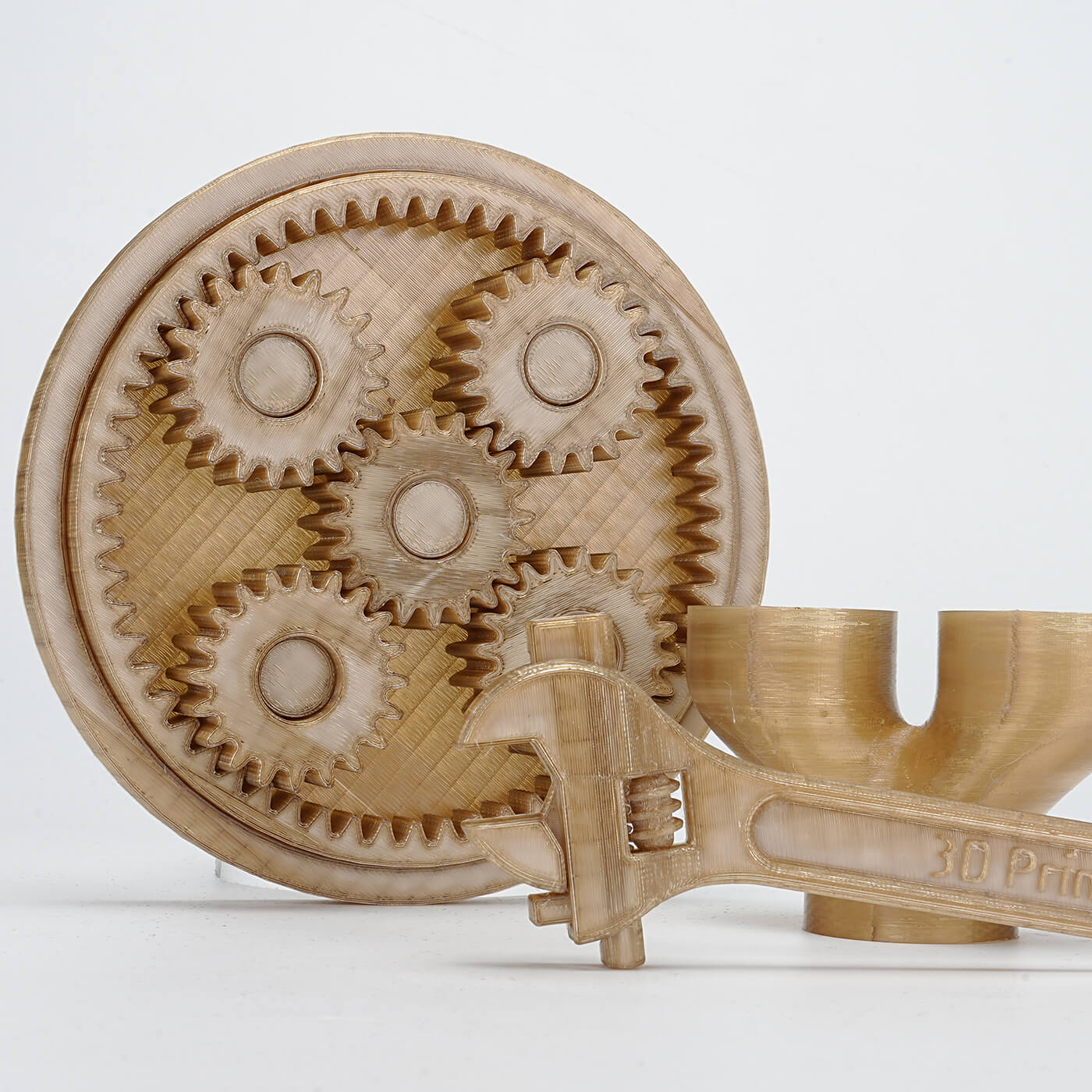
Most 3D printing enthusiasts are familiar with the standard trio of PLA, ABS, and PETG. However, when an engineering project demands a part that can survive a medical autoclave or the corrosive heat of an engine bay, these standard plastics hit a wall.PEEK filament bridges this gap, offering a lightweight, high-strength alternative to metal CNC machining. This guide breaks down the essential thermal demands, hardware requirements, and expert techniques you need to move beyond hobbyist plastics and master true engineering-grade production.1. What Is PEEK Filament?PEEK is a high-performance semi-crystalline thermoplastic in the PAEK family. Unlike amorphous plastics like ABS or Polycarbonate that soften gradually as they heat up, PEEK remains rigid until it is very close to its melting point. This stability allows it to maintain structural integrity in environments that would cause standard filaments to deform or melt completely.The Crystallization Factor: The Secret to PEEK’s StrengthThe performance of PEEK filament isn’t just about the raw material; it is a result of its molecular geometry. As the plastic cools from a molten state, the polymer chains organize into tight, repetitive crystalline patterns.To understand how a part will behave under load, you have to look at the two states existing within the same part:Crystalline Regions: Tightly packed structures that act as internal reinforcement, providing legendary chemical resistance and high mechanical stiffness.Amorphous Regions: Disorganized areas between crystals that act as a buffer, providing the impact resistance and flexibility needed to prevent the part from becoming brittle.When these two states are balanced correctly, the result is a Performance Profile built for survival: extreme thermal stability, immunity to corrosive chemicals, and a strength-to-weight ratio that allows it to replace certain steel or aluminum components.2. Industrial Applications: Why Makers are Swapping Metal for PEEKAerospace and automotive engineers have shifted toward PEEK filament because it solves structural problems that metals simply cannot. For specialized developers and engineering firms, this material provides a path to professional-grade prototyping without the lead times or costs associated with traditional machining.Corrosion Resistance and Weight SavingsUnlike steel or aluminum, PEEK does not oxidize or rust. In subsea environments or chemical processing, PEEK components often outlast treated steel. Additionally, the ability to 3D print complex lattice structures allows you to reduce part weight significantly without sacrificing structural rigidity.Medical Grade Safety and RadiolucencyPEEK is radiolucent, meaning it produces minimal interference in X-ray or CT scans. This, combined with its ability to withstand repeated steam sterilization, makes it the gold standard for surgical guides, dental tools, and customized medical implants.3. Does Your Printer Meet the PEEK Standard?Before purchasing your first spool, it is important to realize that PEEK filament is not a plug-and-play material. It is designed for experienced users with professional-grade hardware. Attempting to use a standard consumer printer will likely lead to failed prints and can cause permanent damage to your machine through overheating.To get the full strength out of the material, your printer must maintain a stable thermal environment that prevents quenching. Quenching occurs when the plastic cools too rapidly, preventing the polymer from forming its necessary crystalline structure. To avoid this, your printer must meet three specific temperature standards.The High-Temperature Extrusion SystemStandard hotends with PTFE liners are a safety hazard at PEEK temperatures; they decompose and release toxic fumes above 250°C. An all-metal hotend is mandatory.Temperature Benchmarks: A baseline of 390°C is required for precision printing, while high-flow rates may require up to 420°C.The Nozzle: Hardened steel or bimetallic nozzles are essential. PEEK filament has a high melt viscosity that standard brass nozzles cannot handle under these sustained thermal loads.High-Adhesion Build PlatesPEEK shrinks significantly as it transitions from a liquid to a solid. To prevent the first layer from curling or lifting off the plate, you need a stable bed temperature between 110°C and 120°C.Adhesion Strategy: Standard glue sticks usually fail or evaporate at these temperatures. You should use a high-adhesion curing adhesive specifically formulated for high-performance polymers to ensure the part remains anchored.Actively Heated ChambersThe heated chamber is the most critical part of the hardware setup. If the ambient air around the part is too cool, the layers contract at different rates, leading to delamination—essentially causing the part to split between layers.Stress Management: An active chamber (maintaining 70°C to 150°C) ensures the part stays in a stress-relieved state. Without this controlled environment, achieving the material's maximum mechanical strength is virtually impossible.4. How Do You Achieve Professional Results with PEEK?Successful prints with PEEK filament are won during the preparation phase. Most failures occur before the nozzle even starts moving because a critical prep step was skipped.Mandatory Dehydration and StoragePEEK is hygroscopic, meaning it actively absorbs moisture from the environment. Any water trapped in the filament will flash into steam inside the hotend, causing surface bubbles, internal voids, and weak layer fusion.The Drying Cycle: Dry the filament at 110°C to 140°C for at least 4 to 6 hours before loading it.Active Humidity Control: High-performance parts require the filament to stay under 20% relative humidity during the entire print. Always feed the extruder directly from a sealed dry box.Slicing for Structural IntegrityYour slicer settings must prioritize thermal stability over raw speed.Consistent Print Speed: Stay within the 30 to 60 mm/s range. This provides the necessary time for the layers to fuse at the molecular level.Precision Retraction: Keep retractions short (1 to 1.5 mm) and fast (30 to 40 mm/s). Because of the extreme heat, pulling molten plastic too far into the cold zone will cause a permanent jam.The Zero-Fan Rule: Keep cooling fans at 0%. Any localized airflow causes thermal shock, which ruins crystallization and triggers aggressive warping.The Crystallization Color TestThe visual appearance of your part is the first indicator of its mechanical quality.Beige or Opaque Tan: This is the goal. It indicates successful semi-crystallization and full strength.Translucent or Dark Brown: This indicates quenching. The material cooled too quickly, leaving it in an amorphous state that is brittle and lacks heat resistance.5. Post-Processing: Maximizing Strength Through AnnealingEven a perfect-looking print often contains internal stresses caused by the layer-by-layer cooling process. To reach the full mechanical potential of PEEK filament, a post-print anneal is usually required. A Professional Annealing Schedule:Initial Ramp: Slowly increase the oven temperature to 150°C.The Soak: Hold this temperature for 1 hour for every 5mm of wall thickness.Controlled Ramp Down: This is the most critical step. Cool the part very slowly—no more than 10°C per hour—until it reaches room temperature.Troubleshooting PEEK Printing IssuesIssueRoot CauseSolutionPart Warping/LiftingBed temp too low or uneven coolingIncrease bed to 120°C; check chamber sealsInterlayer SplittingChamber temp too low (Delamination)Increase active chamber heat to 90°C+Surface BubblesWet filamentDry PEEK filament at 120°C for 6 hoursPart is dark/brittleRapid quenchingDisable all fans; ensure slow cooling in chamberFinal Thoughts3D printing with PEEK filament is a significant jump from standard desktop manufacturing. It requires a shift in mindset, from simply hitting "print" to managing complex thermal cycles and material science. While the hardware requirements and preparation protocols are demanding, the payoff is the ability to produce parts that outperform many metals. If your project requires the absolute limit of what polymers can achieve, the precision and patience required to master this high-performance material are well worth the investment.Frequently Asked Questions1. Can I print PEEK on an enclosed hobbyist printer? Probably not. Even if you upgrade the hotend, the lack of an actively heated chamber means you are limited to very small parts. Anything larger will inevitably warp or split.2. What is the actual melting point of PEEK?Most industrial grades of PEEK filament melt at 343°C, which is why a high-temp extruder is a requirement.3. Why is my part brown instead of tan? Your part quenched. This means the ambient temperature was too low or it cooled too quickly. You need to increase your chamber heat.4. How long do I really need to dry the filament? Do not cut corners here. 110°C – 140°C for 4 – 6 hours is the standard. If you see bubbles in your print, it’s still wet.5. How do I get PEEK parts off the bed? Wait for the bed to cool completely to room temperature. Attempting to remove a hot PEEK part will often tear your build surface or deform the part's base.