

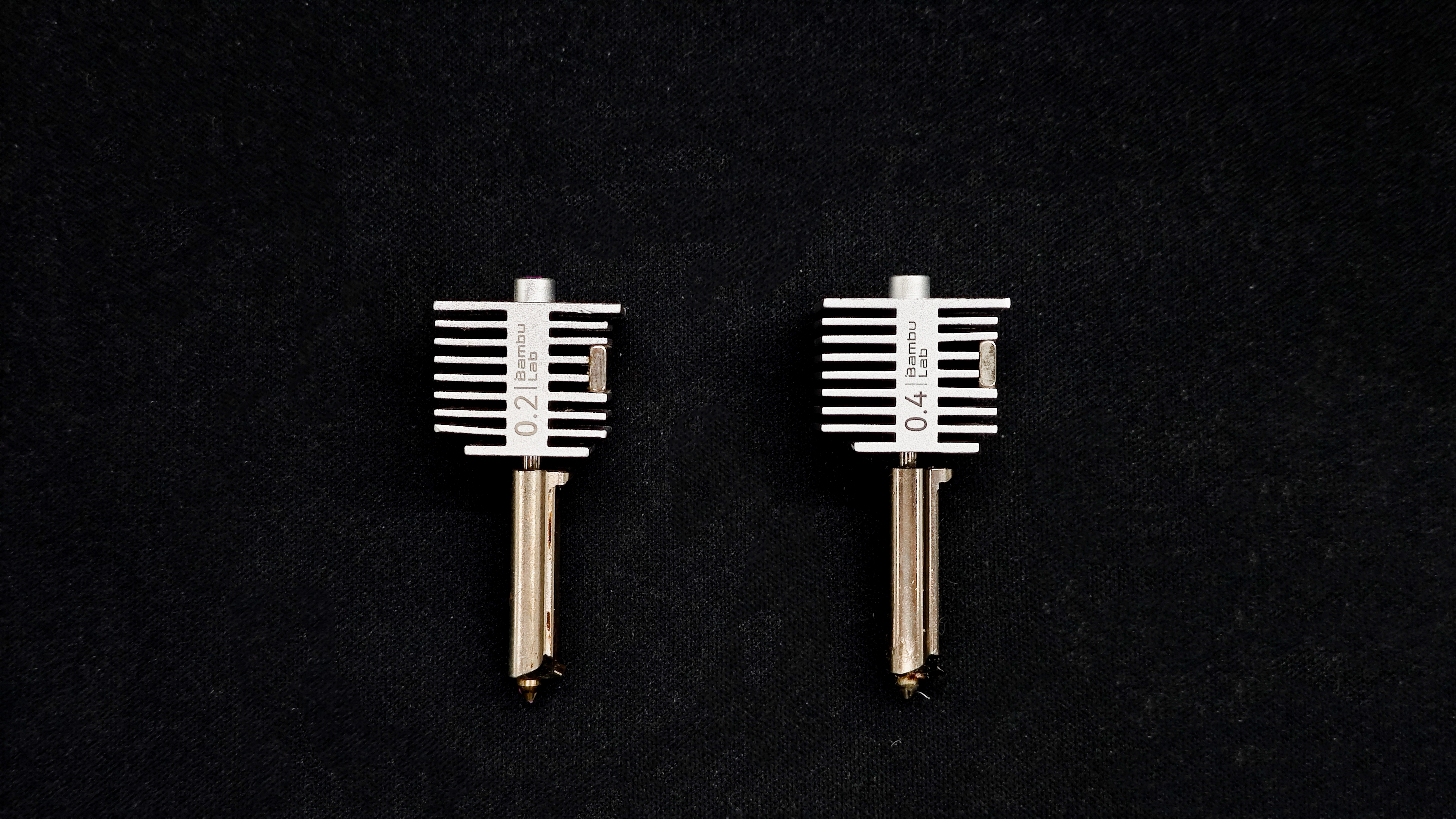
The nozzle is a small but critical component of an FDM 3D printer, typically attached to the hotend. During printing, filament is pushed into the hotend, melted in the heater block, and extruded through the nozzle to form layers on the build plate. The nozzle directly affects print accuracy, speed, and overall quality.
Common Materials
| Material | Characteristics | Suitable Materials | Notes |
| Brass | Most common, excellent thermal conductivity, low cost | PLA, ABS, PETG, Nylon | Wears quickly; not suitable for abrasive filaments (e.g., carbon fiber, glow, wood-filled) |
| Stainless Steel | Corrosion-resistant, food-safe options available | Corrosion-resistant, food-safe options available | Lower thermal conductivity than brass |
| Hardened Steel | Extremely wear-resistant | Carbon fiber, glass fiber, metal-filled, glow filaments | Lower thermal conductivity; may require higher temperatures |
| Copper / Copper Alloys | Excellent heat transfer, even heating | High-speed printing, high-temp plastics (e.g., PC, PEEK) | Higher cost; prone to oxidation |
Nozzle Size
Nozzle size refers to the extrusion hole diameter. Different sizes suit different needs. For desktop FDM printers, 0.4 mm is the standard. A typical set (0.2 / 0.4 / 0.6 / 0.8 mm) covers most use cases.
| Diameter | Characteristics | Typical Use |
| 0.2 mm | High detail, very slow, prone to clogging | Miniatures, figurines, jewelry, small parts |
| 0.4 mm | Balanced performance, most common | General-purpose printing |
| 0.6 mm | Faster printing, reduced detail | Functional parts, containers, batch printing |
| 0.8 mm | Very fast, visible layer lines | Large models, vases, rough prints |
How to Prevent Nozzle Clogging?
- Use high-quality filament with tight diameter tolerances
- Keep filament clean: dust can carbonize inside the nozzle and cause clogs
- Avoid moisture: wet filament can create bubbles and unstable extrusion
- Print within recommended temperatures and use proper retraction settings
Note: Small nozzles (e.g., 0.2 mm) are much more prone to clogging. Regular cleaning and proper filament storage are essential.
How to Clear a Clogged Nozzle?
Choose a method based on severity:
Mild Clog
Symptoms: thin or inconsistent extrusion
Method: Cold Pull
1. Heat nozzle slightly above printing temperature (e.g., ~220°C for PLA)
2. Manually extrude filament until flow appears
3. Cool down to ~70°C
4. Retract and pull filament out
5. Cut off dirty tip and repeat 2–3 times
Moderate Clog
Symptoms: little to no extrusion, extruder slipping
Method: Cleaning Needle
1. Heat nozzle above printing temperature
2. Use a 0.2–0.35 mm needle to clear the nozzle from below
3. Repeat and test extrusion
4. Combine with cold pull if needed
Severe Clog
Symptoms: complete blockage, cannot be cleared
Solution: Replace the nozzle