Blog

Deneyiminizi geliştirecek en güncel 3D baskı haberleri ve uzman görüşleriyle bilgi sahibi olun. Küresel etkinliklere aktif katılımımız, yüksek kaliteli malzemeler sunmamız ve dünya çapındaki müşterilerimize olan bağlılığımız sayesinde SUNLU, sektör trendlerinin ön saflarında yer almaya devam etmektedir.

Lightweight PLA Explained: The Science of Weight Reduction and Its Real-World Applications

Products Knowledge

Lightweight PLA Explained: The Science of Weight Reduction and Its Real-World Applications

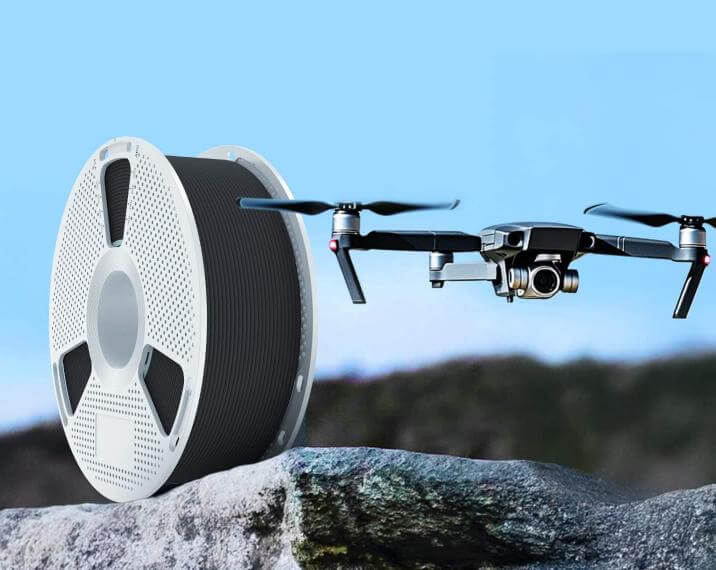
Weight reduction is increasingly important in RC aircraft, drones, and mobile systems, where every gram can affect payload capacity, acceleration, flight time, handling, and the design margin available for batteries, electronics, or reinforcement.For those who use 3D printing filaments to produce functional parts for these applications, the first instinct is often to reduce the amount of material used. However, weight reduction is not simply a matter of using less material. A part must still meet its mechanical, thermal, dimensional, and service requirements. The final result depends on both material selection and structural design.How to Reduce the Weight of a 3D-Printed PartOne can generally reduce the weight of a 3D-printed part through material optimization and/or structural optimization.Material OptimizationMaterial optimization lowers the mass of a component by replacing the original material with a lower-density alternative. The model’s shape and dimensions remain unchanged.Since weight equals density multiplied by volume, lowering the material density reduces weight when the volume stays the same.This approach allows designers to reduce weight without modifying the model. Similar examples in conventional engineering include replacing steel with aluminum alloy or replacing certain metal components with carbon fiber composites.The tradeoff is that a different material also brings different mechanical and thermal properties. Strength, stiffness, toughness, and heat resistance must therefore be checked against the actual operating conditions.Structural OptimizationStructural optimization leaves the material type unchanged but decreases the amount of material used in the part. Designers remove material from areas that carry little load and retain or reinforce it where stresses are concentrated.Common methods in 3D printing include:Reducing infillDecreasing wall thickness or the number of top and bottom layersAdding hollow sections, ribs, honeycombs, or lattice structuresApplying topology optimization to remove material from low-stress areasThis method does not require a different filament, but it does require adjustments to the model or slicing settings. The possible weight saving depends on the load requirements. Excessive material removal may create fragile walls, weak joints, or areas with insufficient local strength.How SUNLU LW-PLA Achieves Lower WeightSUNLU LW-PLA helps achieve weight reduction through material optimization. Its internal cellular structure lowers the density of the filament, allowing the same model to weigh less without changing its external dimensions.Specifically, SUNLU LW-PLA has a density of 0.84 g/cm³, compared with approximately 1.23 g/cm³ for regular PLA (SUNLU PLA). This means that, for the same model, the LW-PLA version can be approximately 30% lighter than one printed with regular PLA.Moreover, SUNLU LW-PLA is a pre-foamed filament, meaning the internal cellular structure is formed during filament extrusion and winding, and the filament leaves the factory with its low-density structure already established.This differs from active-foaming lightweight filaments that expand inside the printer nozzle. With those materials, final density can depend heavily on nozzle temperature and extrusion flow. Users may need to balance expansion, flow rate, and temperature to achieve a target weight.Pre-foamed LW-PLA does not require additional foaming during printing. Nozzle temperature only needs to support smooth melting and extrusion, rather than control an expansion reaction. As a result, its weight-reduction effect is generally more consistent across different printers and settings.Does Lightweight PLA Sacrifice Strength?Yes, to some extent. When solid polymer is replaced by an internal cellular structure, some loss in mechanical strength is expected. The goal, however, is not to reduce weight while keeping every other property unchanged (which is rarely possible), but to find the right balance between strength and weight for the actual working conditions.For example, a light RC aircraft shell may benefit more from lower mass than from maximum tensile strength. A drone arm that carries motors and withstands repeated impact has different requirements, and it may need a stronger material or additional reinforcement.Printed-part strength also depends on wall count, infill, layer orientation, geometry, temperature, and layer adhesion. Critical parts should be tested under realistic loads rather than approved based on material data alone.Do Printing Parameters Still Matter?Yes, printing parameters still matter, as they do with other filaments. They can influence wall accuracy, internal gaps, surface quality, and layer bonding. Pre-foaming makes the material density more predictable, but it does not remove the need for proper calibration.The recommended starting window for SUNLU LW-PLA is a nozzle temperature of 180°C to 200°C, a bed temperature of 50°C to 60°C, and a print speed of 30 to 100 mm/s.If the nozzle temperature is too low, extrusion may become inconsistent and layer bonding may weaken. If it is unnecessarily high, the melt can become more fluid, increasing stringing, oozing, or loss of fine detail. Printing too quickly may prevent stable material flow, resulting in under-extrusion, incomplete walls, or weak interlayer bonding.Start with the middle of the recommended range and print a small calibration model. Check part weight, wall quality, layer adhesion, and dimensional accuracy before producing a large aircraft or drone component.Where Can LW-PLA Be Used, and Where Does It Fall Short?1. RC aircraft: Wing skins, fuselage shells, fairings, and non-critical internal features can retain their aerodynamic geometry while reducing overall mass. Lower airframe weight may leave more design capacity for batteries or onboard electronics.2. Drones: Covers, guards, housings, and aerodynamic shells can reduce non-payload weight. Highly loaded arms, motor mounts, and impact-critical joints require separate strength validation.3. Mobile models and robotics: Lightweight exterior panels reduce the mass that motors must accelerate. This can improve responsiveness without forcing designers to make the visible shell smaller.4. Prototypes and display parts: Large concept models, cosplay components, and painted display pieces benefit from lower carrying weight. The material’s matte surface also supports finishing and painting.With a heat-deflection temperature of 53°C ± 3°C, a tensile strength of 20 ± 4 MPa, a flexural strength of 35 ± 5 MPa, and a notched Izod impact strength of 2.5 ± 1 kJ/m², LW-PLA is less suitable compared to regular PLA filaments for parts that must withstand high temperatures, severe impacts, or heavy continuous loads, or whose structural performance must be tightly controlled without prior testing.ConclusionSUNLU LW-PLA helps reduce weight without changing a part’s external geometry. Users do not need to spend much time modifying or redesigning their models. For the best results, it’s always recommended to test any critical part under realistic loads. Explore SUNLU LW-PLA and exchange ideas with other makers in the SUNLU Community.
How 3D Printing Filament Creates Different Surface Effects

Products Knowledge

How 3D Printing Filament Creates Different Surface Effects

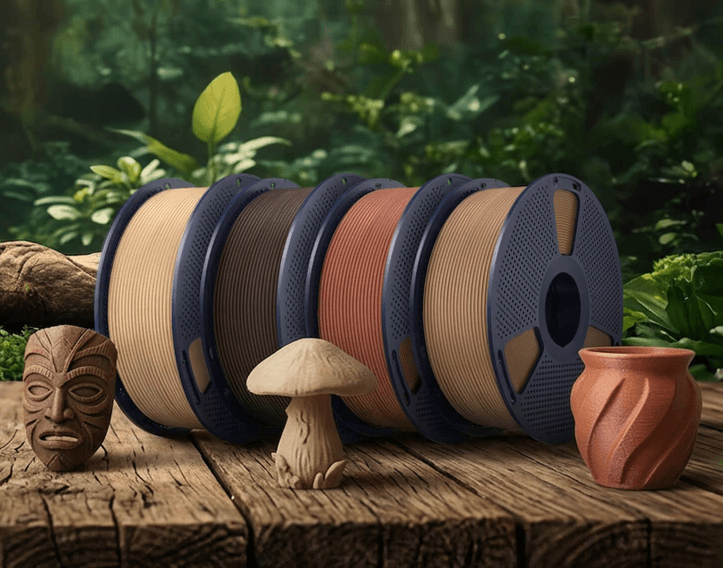
The surface of a 3D print is shaped by more than color. Material composition, pigment distribution, layer geometry, temperature, speed, and lighting all influence how the finished object looks and feels. This is why two types of 3D printing filament can produce noticeably different results even when they are printed from the same model.What Is a 3D-Printed Surface Effect?A surface effect is the combined visual and tactile character of a printed part. It includes gloss, color variation, apparent depth, visible layer lines, and textures such as stone-like speckles or wood-like grain.Some effects are mainly optical. Metallic and galaxy filaments, for example, contain pigments that interact with light to create shine, sparkle, or color shifts. Other effects also depend on solid additives. Marble filament may contain contrasting mineral-like particles, while wood filament can include fine wood powder.Moreover, the pigments and solid additives change how noticeable the layer structure is. A scattered pattern can visually break up layer lines, while a reflective finish may emphasize every curve and extrusion path.As a result, the same model can look and feel very different depending on the filament used. The image below compares the surface effects produced by SUNLU High Speed Marble PLA, SUNLU PLA Metallic, SUNLU PLA Galaxy, and SUNLU PLA Wood: What Determines the Final Surface?Material composition creates the basic effect, but it is only the starting point. The final appearance depends on several connected factors:The base polymer determines flow behavior and the general gloss of the surface.Pigments and particles create color variation, sparkle, or natural-looking texture.Layer height controls the size and visibility of individual layer steps.Nozzle temperature affects flow, bonding, and sometimes surface shine.Print speed influences how evenly each extrusion line is deposited.Cooling changes how quickly the material solidifies.Model orientation determines how light reaches the layer lines and decorative pattern.This means the appearance shown on a filament spool is not an exact preview of the finished part. The same material can look smooth and understated on a gently curved vase but more strongly layered on a flat wall or shallow slope.How Special-Effect Filaments Create Their Appearance1. Marble FilamentMarble-style filament combines a light or stone-colored base with small contrasting particles. As the material is extruded, these particles appear as irregular dots and streaks. The random pattern resembles natural stone and helps interrupt the visual continuity of layer lines.Marble filament works especially well for sculptures, architectural models, plant pots, museum-style replicas, and decorative household objects. Larger surfaces usually display the pattern more clearly than very small parts.Because some marble formulations contain solid particles, users should check the manufacturer’s nozzle and maintenance recommendations before printing long jobs.2. Metallic Filament“Metallic” can describe two different material categories. Metallic-look filament uses reflective pigments or additives to imitate the luster of metal while retaining a polymer base. Metal-filled filament contains actual metal powder and may have different printing, nozzle-wear, weight, and post-processing requirements.Metallic-look PLA is a practical choice when appearance matters more than real metal content. Its reflective surface can make curved objects look polished and can give figurines, trophies, cosplay accessories, mechanical display models, and decorative components a cast-metal character.Light direction is important. Broad curves often show a smooth highlight, while uneven extrusion or inconsistent layers may become more visible on a reflective surface.3. Galaxy FilamentGalaxy filament creates visual depth through reflective or color-shifting pigments distributed through the base material. As the viewing angle or light direction changes, different areas may brighten, darken, sparkle, or reveal another tone.This effect is well suited to astronomy models, fantasy objects, jewelry holders, vases, toys, and display pieces. Models with curves, folds, or faceted geometry usually demonstrate the shifting effect more clearly than simple flat panels.4. Wood FilamentWood filament blends a thermoplastic with fine wood particles. The particles soften the uniform plastic appearance and produce a warmer, more organic color and texture. Some formulations may also retain a subtle wood-like scent during or after printing.Layer direction can resemble grain, especially on models with long contours. Wood-style filament is therefore suitable for architectural models, signs, boxes, ornaments, terrain pieces, and decorative objects.Wood-filled materials require attentive temperature control. Excessive heat or long residence time in the nozzle can discolor the material and may increase the chance of residue or clogging. To show how filament composition changes the finished surface, the same model was printed with SUNLU Marble, PLA Metallic, PLA Galaxy, and PLA Wood. Under consistent lighting, Marble produces a stone-like speckled pattern that helps soften visible layer lines, while Metallic creates stronger reflective highlights across curved surfaces. Galaxy adds sparkle and shifting visual depth, whereas Wood gives the model a warmer, more natural-looking texture. Although the model geometry remains identical, each 3D printing filament changes how its curves, layers, and fine details are perceived.How to Choose Filament for Your Target ResultChoose the material by working backward from the finished object:Target EffectSuitable FilamentTypical ApplicationsNatural stone with subdued layer linesMarble PLASculptures, planters, architecturePolished or cast-metal appearanceMetallic-look PLAProps, trophies, display modelsSparkle and changing color under lightGalaxy PLAVases, fantasy models, ornamentsWarm, organic textureWood PLASigns, boxes, décor, scale modelsAlso consider the model’s geometry. Reflective materials reward smooth curves, galaxy effects benefit from changing angles, and patterned marble surfaces work best when there is enough area to show their particle distribution.For functional parts, appearance should not replace mechanical evaluation. Check the base material’s strength, heat resistance, layer adhesion, and environmental suitability separately.How to Improve the Finished SurfacePrint a small sample before committing to a large model. A swatch reveals how the filament behaves under your actual lighting, printer settings, and layer orientation.Keep the exterior wall speed stable, place the seam in a less visible location, and use a layer height appropriate for the viewing distance. Make sure the filament is stored correctly, because moisture can contribute to bubbling, rough extrusion, and inconsistent gloss.Post-processing should match the effect. Wood-style parts can often be sanded for a softer appearance, while sanding a galaxy or metallic surface may remove or dull the optical finish. Test any sanding, polishing, coating, or painting process on a sample first.Explore Special-Effect Filaments from SUNLUSUNLU offers several materials designed for appearance-focused projects. SUNLU High Speed Marble PLA uses inorganic microparticles to create a stone-like pattern. SUNLU PLA Metallic provides a metal-like surface in colors such as Marrakech Bronze, Brass Gold, and Azurite.For changing color and light effects, SUNLU PLA Galaxy uses an iridescent formulation intended for decorative prints. SUNLU PLA Wood contains 15% wood powder and is available in several wood-inspired colors.The right 3D printing filament connects material composition with the intended visual result. Select the effect that suits your model, begin with the recommended printing profile, and refine temperature, speed, cooling, and layer height through small test prints. This controlled approach is the most reliable way to turn a special-effect spool into a convincing finished surface.

How to Choose Engineering Resin for 3D Printing

Products Knowledge

How to Choose Engineering Resin for 3D Printing

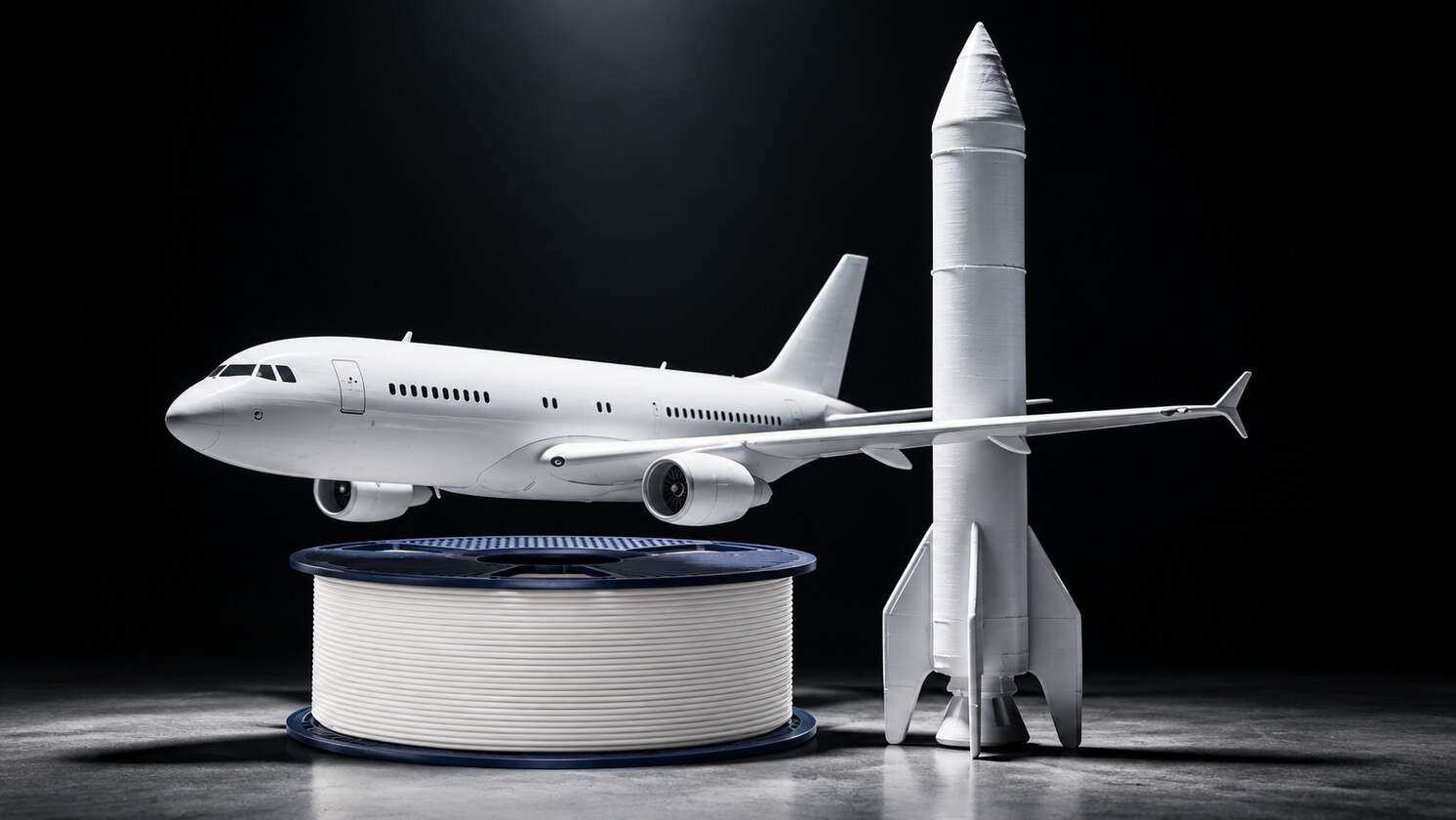
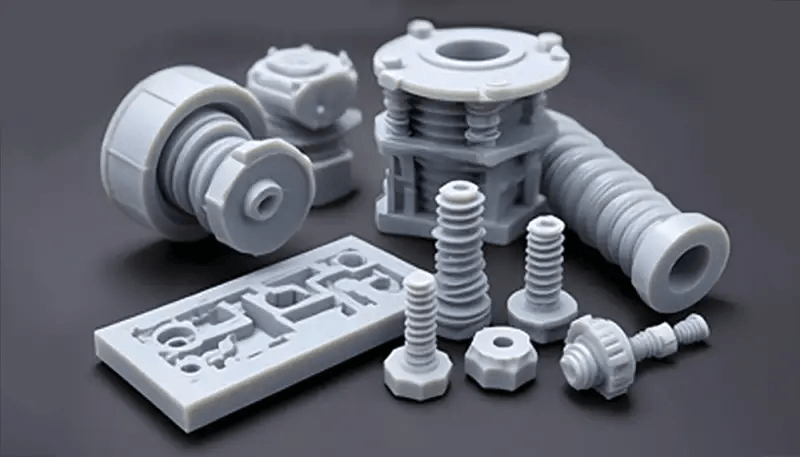
Standard photopolymer resin works well for display models, but it often falls short once a part has to carry load, withstand heat, resist solvents, or hold tight tolerances. In these cases, engineering resins offer a practical alternative. However, the wide range of labels and datasheet values can make selection confusing. This article explains the general properties of engineering resins, shows how to choose one by application, and describes how printing and post-processing affect the final result.What Are the Key Properties of Engineering ResinsBefore selecting an engineering resin, it is necessary to know the key properties and what each of them means. Tensile strength and flexural strength measure how much stress a part withstands when pulled or bent. They describe resistance to deformation, not resistance to sudden shock.Impact strength (for example, notched Izod, in J/m) measures energy absorption during a sudden blow. A resin can have high tensile strength but low impact strength. Such a material is strong yet brittle, and it cracks under shock loads.Elongation at break shows how far a material stretches before failing. High elongation usually indicates ductility, while low elongation suggests brittleness. Tough parts generally combine moderate strength with good elongation.Heat deflection temperature (HDT) is the temperature at which a specimen deforms under a defined load. It is often mistaken for the melting point or the glass transition temperature. HDT is a comparative indicator of short-term thermal load capacity, not a guarantee of long-term performance at that temperature.Dimensional stability refers to how well a part keeps its size and shape over time and across temperature changes. It should not be confused with print accuracy. Accuracy describes how closely the part matches the model at the time of printing, whereas stability describes how the part behaves afterward, including warpage, creep, and moisture or heat effects.Note that each engineering resin formulation is designed around a particular combination of properties, and improving one often reduces another. A formulation designed for heat resistance typically has a high HDT and high hardness, but its impact strength may be lower. A formulation designed for toughness absorbs shock and stretches before breaking, but it usually softens at a lower temperature. A formulation designed for dimensional control has low shrinkage but high stiffness, which can reduce flexibility.How to Choose the Right Engineering ResinA reliable selection process works backward from the use of the part. The logic is Application → Performance Requirement → Resin Selection.ApplicationKey Performance RequirementWhat to Check on the DatasheetSnap-fit enclosureImpact strength, elongationNotched Izod, elongation at breakFunctional gear or hingeWear resistance, flexibilityElongation at break, hardnessMold insert, hot-air fixtureHigh HDT, hardnessHDT, Shore DAssembly jig, gaugeRigidity, low shrinkageFlexural modulus, shrinkageThree questions help narrow the choice. First, what load does the part carry: static, cyclic, or impact? Second, what is the maximum operating temperature, and for how long? Third, how tight is the tolerance, and does the part touch chemicals?Consider a simple example. A bracket that holds a sensor near a motor must resist vibration and moderate heat. The vibration points to toughness and elongation, while the heat sets a minimum HDT. If no single resin meets both, the designer must decide which requirement is more critical and test a sample.What Else to Consider When Using Engineering ResinEven the right resin underperforms if the process is poorly controlled. Datasheet values come from specimens printed and cured under specific conditions, so parts made with different settings may not reach the same performance. The following factors have the greatest influence on the final result.Exposure. Underexposure causes weak layer bonding and soft, sticky parts. Overexposure increases brittleness, reduces detail, and causes dimensional growth. A calibration test for each printer and resin is the most dependable way to find the right range.Layer height and orientation. Thinner layers improve surface quality but increase print time and the number of layer interfaces. Because layer interfaces are usually the weakest plane, the part should be oriented so that the main load does not pull the layers apart.Washing. Isopropyl alcohol removes uncured resin. Insufficient washing leaves a tacky film that cures unevenly, while excessive soaking can cause some resins to swell or crack. A short, controlled wash followed by thorough drying is recommended.Post-curing. Under-curing leaves low strength and poor stability, while over-curing can make parts brittle and cause warpage. Even exposure from all sides, using the time recommended by the manufacturer, gives the most consistent results. Heat-resistant resins may also need a thermal post-cure to reach the stated HDT.Which Engineering Resin for Parts Exposed to High TemperaturesWhen a fixture, mold insert, or test component must remain rigid near a heat source, heat resistance becomes the first selection criterion. SUNLU High Temperature Plus Resin has a heat deflection temperature of up to 170°C and can retain its shape during short-term exposure to 300°C for approximately three minutes, helping fixtures, mold-verification parts, and test components retain their intended shape under sustained heat.With a flexural strength of 82 MPa and a Shore hardness of 87D, the cured resin resists bending and surface indentation. A positioning fixture can therefore continue holding a component at the required angle or distance after heating. Its 7% elongation at break indicates a rigid material profile, making it more suitable for shape-retaining parts than for clips or hinges designed to flex repeatedly.ConclusionChoosing an engineering resin is not about finding the strongest material. It is about identifying what the part must actually do. Start with the application, define the most important performance requirements, and then compare resin properties such as strength, impact resistance, elongation, HDT, and dimensional stability. Just as importantly, consider printing orientation, exposure, washing, and post-curing, because processing conditions can significantly affect the final part.Keeping that in mind, you can achieve more reliable performance and avoid choosing a material based on a single impressive datasheet value.

Dehumidifier vs Dryer: What Are the Differences?

Products Knowledge

Dehumidifier vs Dryer: What Are the Differences?

Most 3D printing filaments are hygroscopic, meaning they actively absorb moisture from ambient air. Even a few days of exposure in average room humidity can noticeably wet your spool. When wet filament enters a 200°C+ hotend, trapped water rapidly boils into steam, resulting in stringing, rough surface textures, layer delamination, and brittle prints.This issue actually creates two needs: drying wet filament and keeping unused filament dry. These are often addressed with filament dryers and dehumidifier cabinets. In this guide, we will break down their working principles, key differences, and how to choose the right setup for your 3D printing needs.Filament Dryer: Active Thermal Moisture RemovalA filament dryer is designed for one primary goal: active moisture extraction. It is an active, restorative solution for spools that have already absorbed ambient moisture.Core PrincipleAmbient moisture doesn’t just sit on the filament’s surface; water molecules bind deeply within the polymer chains. A filament dryer uses thermal energy to break these molecular bonds and evaporate the trapped moisture.Working LogicSpecifically, the filament dryer uses PTC heating elements and internal circulating fans to warm the entire chamber to target temperatures (typically 45°C–70°C+ depending on material). As heated air sweeps across the spool, it strips moisture away and vents the humid air out through exhaust ports. Many models also include PTFE pass-through tubes, allowing you to feed filament directly into your extruder while actively heating.Intended UsesA filament dryer is particularly useful for reviving saturated spools that have been left exposed on open shelves and for providing immediate, pre-print thermal conditioning. It can also maintain heat throughout multi-day prints, helping prevent the filament from re-absorbing moisture during extended printing.Target UsersIt is well suited to hobbyists and creators who typically work with one to four active spools and need filament ready to print on demand.Filament Dehumidifying Cabinet: Long-Term Low-Humidity StorageA filament dehumidifying cabinet serves a fundamentally different purpose: continuous, preventative moisture management.Core PrincipleDehumidifying is about preservation, not baking. Its goal is to maintain an ultra-low relative humidity (RH) environment (<15% RH) at room temperature, ensuring dry filament does not have the opportunity to absorb moisture.Working LogicThe cabinet uses molecular sieve physical adsorption paired with an intelligent cycling system. High-grade molecular sieves actively trap airborne water vapor within the sealed cabinet. Through an automated, smart regeneration cycle, the system periodically vents the captured moisture outside the unit—all while keeping the internal storage compartment at a steady, unheated room temperature.Intended UsesA dehumidifying cabinet is designed for long-term filament storage, keeping dry filament ready for use between prints. It is particularly useful for spools that may sit unused for days or weeks and need protection from ambient humidity.Target UsersA dehumidifying cabinet is suited to makers with growing spool libraries, as well as studios and print farms managing dozens of open rolls across different colors and materials. Why Not Just Use Sealed Bags or Store Spools in a DryerOne may ask: why not just stick to traditional storage bags or keep spools inside a heated dryer box?This is because both approaches present distinct practical limitations for day-to-day use:l Limitations of Sealed Bags & Desiccants: Vacuum bags can puncture easily, ziplock bags may lose their seal over time, and silica gel packs eventually become saturated without providing a clear indication. A dehumidifying cabinet maintains a consistently dry environment without requiring users to repeatedly replace or monitor desiccants.l Drawbacks of Continuous Dryer Use: Keeping a thermal dryer running 24/7 consumes more electricity and exposes filament to prolonged heat, which may contribute to thermal fatigue or spool deformation over time. A dehumidifying cabinet provides room-temperature storage without continuous heating, making it more suitable for long-term filament preservation.Filament Dryer vs Dehumidifier CabinetFilament DryerDehumidifier CabinetWorking PrincipleThermal heating + active air circulation & ventingPhysical adsorption + intelligent cyclingCore GoalEvaporate deep moisture & enable direct-feed printingLong-term ambient prevention & low-humidity storageOperating TemperatureHeated (45°C – 70°C+)Ambient / room temperature (no heat damage)CapacityLower capacityHigher capacityUsage CycleIntermittent / batch runs (4–12 hours per session)24/7 continuous, permanent operationSpool StateTreats already-wet spoolsKeeps dry/baked spools factory-freshEnergy ImpactModerate (100W–300W during active heating)Ultra-low (~10W–30W standby/cycling)Best ApplicationPre-print preparation & active print feedingSpool inventory library & bulk material preservationTarget UsersRestore moisture-affected filament and quickly return it to a printable condition.Focus on long-term storage and daily filament management to help reduce moisture reabsorption.How to Choose the Right SetupThe right setup depends less on personal preference and more on two concrete factors: what materials you print, and how much filament you keep in rotation.1. MaterialRegular Materials (PLA, PETG): Moderate moisture absorption. A compact filament dryer is often enough for occasional baking before demanding print jobs.Engineering & Highly Hygroscopic Materials (TPU, PA/Nylon, PC, PVA): Extreme moisture sensitivity. Nylon and PVA can degrade print quality after just 4–6 hours of open-air exposure. These materials require active drying in a heated unit plus long-term storage in a dry cabinet.2. Inventory & ScaleIndividual Makers: A 1- or 2-spool dryer covers daily routines.Studios & Multi-Color Enthusiasts: A dehumidifier cabinet eliminates the headache of having 10+ open spools absorbing moisture simultaneously.Print Farms & Industrial Workshops: Both are essential to guarantee batch repeatability and minimize failed prints on engineering-grade parts. SUNLU Filament Drying and Dehumidifying SolutionsAt SUNLU, we provide both filament dryers and dehumidifying cabinets to address different filament moisture management needs.Our SUNLU Filament Dryer is designed to actively dry filament that has already absorbed moisture. We offer different configurations, including the SUNLU AMS Heater and SUNLU AMS Lite Heater, which use controlled heating to help remove moisture from filament before and during printing. These solutions are suitable for makers who need to condition filament before demanding print jobs or keep filament dry while printing.For long-term storage, our SUNLU i10 Filament Dehumidifying Cabinet takes a different approach. Instead of continuously heating the filament, it maintains a low-humidity environment at room temperature to help prevent dry filament from absorbing moisture during storage. Its larger capacity also makes it suitable for users managing multiple spools.With both heated filament drying and low-humidity storage solutions, we offer options for different filament conditions, usage patterns, and storage requirements.ConclusionChoosing between a filament dryer and a dehumidifying cabinet depends on whether the goal is to remove existing moisture or prevent moisture from returning. A dryer uses heat to restore wet filament, while a dehumidifying cabinet maintains a low-humidity environment for long-term storage. At SUNLU, we offer solutions for both needs, helping makers keep their filament dry, protected, and ready for reliable 3D printing. Browse our 3D printing filaments and filament accessories to find the right fit for your setup.

3D Printing Filament Storage Guide: How to Keep Filament Dry and Protect Print Quality

Products Knowledge

3D Printing Filament Storage Guide: How to Keep Filament Dry and Protect Print Quality

Moisture is one of the common causes of inconsistent 3D printing results. During storage, filament can absorb moisture from the surrounding air, especially when exposed to high-humidity environments for extended periods. Depending on the material, moisture absorption can affect extrusion stability, surface quality, layer adhesion, mechanical properties, and overall print reliability.Proper filament storage is therefore about more than simply keeping filament away from water. Effective storage requires controlling the surrounding humidity and minimizing the filament’s continued exposure to moisture in the air.This guide explains how humidity affects 3D printing filament, why drying and storage serve different purposes, and how a dehumidifying storage cabinet such as the SUNLU FilaDC i10 Filament Dehumidifying Cabinet can help maintain more stable filament conditions between prints.Why Does 3D Printing Filament Need Proper Storage?Most 3D printing filaments have some degree of hygroscopicity, meaning they can absorb moisture from the surrounding environment. The rate and amount of moisture absorption depend on factors such as material type, ambient humidity, temperature, exposure time, and the condition of the filament itself.Once moisture enters the filament, it can affect extrusion during printing. Depending on the material and its moisture content, users may experience bubbling, popping, stringing, inconsistent extrusion, rough surfaces, or reduced mechanical performance.Some materials are particularly sensitive to moisture. These commonly include:Nylon and other polyamide-based materialsTPU PVAThese generally require more careful moisture management than PLA. However, even materials that are relatively less moisture-sensitive can benefit from proper storage when exposed to humid environments for extended periods. Always follow the manufacturer’s storage guidelines for each material.The key point is that filament condition can change not only during printing, but also gradually while the filament is sitting on a shelf or stored between uses.Relative Humidity and Filament Moisture Content Are Not the SameRelative humidity (RH) describes the amount of moisture in the air relative to the maximum amount of moisture the air can hold at a given temperature. It is an environmental measurement and does not directly indicate how much moisture is actually contained within the filament.Filament moisture content refers to the amount of water that the material has actually absorbed. The two are related, but they should not be treated as equivalent measurements.For example, placing a spool of filament in a storage cabinet at 10% RH does not mean that the filament itself will immediately become extremely dry. If the filament has already absorbed moisture, it will take time for moisture to gradually migrate out of the material and for the filament to move toward a more stable state in the controlled environment.Therefore, when evaluating a filament storage system, it is important to distinguish between ambient humidity and filament moisture content. A low-RH environment can help reduce further moisture absorption, but it should not simply be interpreted as a rapid drying process.Does Lower Humidity Always Mean Better Filament Storage?Lower humidity generally helps reduce the amount of moisture that filament is exposed to. However, this does not mean that the lowest possible RH is necessarily ideal for every material or application.Filament performance is influenced by its polymer composition as well as its storage conditions. Some PLA materials, for example, may become relatively more prone to brittleness after prolonged exposure to extremely dry conditions. This does not mean that PLA should always be stored within one specific RH range. Rather, it highlights the importance of considering the characteristics of the material itself instead of treating a single humidity value as a universal standard for all filaments.For everyday filament storage, the more important goal is to maintain a controlled and relatively dry environment while minimizing unnecessary exposure to moisture.How Long Does Filament Take to Reach a Stable Condition?The time required for filament to reach a stable condition depends on factors such as its initial moisture content, material type, spool size, environmental conditions, and storage system.If filament has been exposed to a humid environment for an extended period, the time required to reach a stable condition in a controlled low-humidity environment will vary depending on the material. The exact time can also be affected by factors such as filament type, spool size, initial moisture content, and the conditions inside the dehumidifying cabinet.The FilaDC i10 is designed to help maintain the condition of dry filament and support long-term storage in a low-humidity environment. However, it is not intended to replace the function of a dedicated filament dryer. In comparison, filament that is already relatively dry may reach a stable storage condition more quickly.This difference also highlights why a dehumidifying storage cabinet should not be considered a replacement for a dedicated filament dryer. A dehumidifying storage cabinet is primarily designed to maintain a controlled storage environment, rather than rapidly remove a large amount of moisture from heavily saturated filament.Drying vs. StorageAspectDryingStoragePrimary goalRemove moisture already absorbed by filamentPrevent filament from absorbing moisture againWhen to useBefore printing, when filament shows moisture issuesBetween prints and over longer periodsSpeedTargets faster moisture removalMaintains a stable, controlled environmentTypical deviceDedicated filament dryerDehumidifying storage cabinet (e.g. FilaDC i10)Why Can Humidity Temporarily Increase During Dehumidification?Users may sometimes notice that the humidity displayed inside a dehumidifying storage cabinet does not continuously decrease and may temporarily increase instead. This can be a normal part of the moisture-control process.The SUNLU FilaDC i10 uses a moisture management system based on adsorption and regeneration. During regeneration, moisture collected by the desiccant is released and removed from the system. As a result, the heating and moisture-removal process may cause temporary changes in the RH reading inside the cabinet.After regeneration is completed and the system cools down, it returns to the moisture-adsorption stage. As the air inside the cabinet and the stored filament gradually move toward a more balanced condition, the humidity reading will also stabilize.Therefore, the RH displayed by the cabinet should be understood as a measurement of the current humidity of the air inside the cabinet, rather than a direct measurement of the actual moisture content of each spool of filament.Why Does the SUNLU FilaDC i10 Use Molecular Sieves?The SUNLU FilaDC i10 uses a molecular-sieve-based moisture management system to maintain a low-humidity environment for filament storage.Molecular sieves are porous materials capable of selectively adsorbing water molecules. Their moisture adsorption properties make them suitable for applications that require relatively low-humidity environments.Under the company’s test conditions, molecular sieves demonstrated stronger performance in maintaining low humidity compared with silica gel. After 1,000 regeneration cycles, the molecular sieve retained approximately 95% of its water adsorption capacity, while the silica gel used in the same internal comparison test retained approximately 70%. Based on internal testing; actual results may vary by environment.What Is the Maximum Temperature of the SUNLU FilaDC i10 PTC Heating Module? Can It Regenerate the Molecular Sieve?The i10 PTC heating module has a maximum tested temperature of 260°C (500°F) under specified test conditions. However, this does not mean that every part of the molecular sieve reaches or continuously remains at 260°C during each operating cycle.Molecular sieve begins to desorb absorbed moisture at approximately 230°C (446°F). Since the i10 PTC heating module can reach up to 260°C under test conditions, it provides the heat required for moisture desorption and molecular sieve regeneration.Actual desiccant temperature and regeneration performance may vary depending on factors such as ambient temperature, airflow, desiccant quantity, and cycle duration.How Does the SUNLU FilaDC i10 Maintain a Low-Humidity Environment?The FilaDC i10 uses continuous moisture management rather than relying solely on heating the filament to achieve drying.The system monitors the humidity inside the cabinet and manages moisture through a cycle that includes adsorption, regeneration, moisture removal, and cooling. When humidity rises, the system can initiate the regeneration and moisture-removal process before returning to the adsorption stage.Because moisture can continuously enter the cabinet through the filament itself as well as through normal door openings, maintaining a low-humidity environment requires ongoing moisture management rather than a one-time drying cycle.This is an important distinction between the FilaDC i10 and traditional heated filament dryers. The primary purpose of the FilaDC i10 is to provide a controlled storage environment for filament between printing sessions.How to Build Better 3D Printing Filament Storage HabitsDeveloping an effective filament storage routine starts with understanding the current condition of the filament.A simple storage routine:1. Check – Assess whether the filament shows signs of moisture-related printing issues.2. Dry – If needed, use an appropriate drying method based on the material’s characteristics.3. Store – Once the filament is in a suitable condition, place it in a controlled low-humidity environment.4. Maintain – Keep the filament in the controlled environment between uses to reduce further moisture absorption.For filament that is already dry, storing it in a controlled low-humidity environment can help maintain its condition for longer, particularly in humid environments.Consistency is one of the most important principles of filament management. If stable printing performance is the goal, filament should ideally not be repeatedly moved between a dry environment and humid open air.How Does the SUNLU FilaDC i10 Fit into Filament Storage?The FilaDC i10 is primarily designed for the storage stage of filament management. Instead of exposing dry filament to indoor air after every printing session, users can keep their filament in a controlled low-humidity environment between uses.This approach can be particularly useful for users who frequently work with moisture-sensitive materials or need to store multiple spools for extended periods. By continuously monitoring and managing humidity, the FilaDC i10 helps reduce the risk of filament repeatedly absorbing moisture during storage.For users who frequently switch between different materials, work on long-term printing projects, or live in humid environments, maintaining a stable storage environment can become an important part of achieving more consistent printing results.ConclusionFilament storage is an important part of achieving consistent 3D printing results. Taking filament out of a dryer does not mean moisture management is finished. For long-term storage, keeping filament in a controlled environment is equally important.The key is to understand the difference between drying and storage. Drying is intended to remove moisture that the filament has already absorbed, while low-humidity storage helps prevent the filament from absorbing moisture again.For users who want to better protect filament between printing sessions, a dedicated dehumidifying storage solution such as the SUNLU FilaDC i10 Filament Dehumidifying Cabinet can provide a controlled environment through continuous humidity management. Learn more about the SUNLU FilaDC i10.Better filament management does not begin and end with choosing the right material. It extends throughout the entire workflow—from storage and preparation to printing—helping keep filament in a suitable condition for more consistent results.

Keep It Dry, Print It Right: Inside the i10 Filament Dehumidifying Cabinet

Products Knowledge

Keep It Dry, Print It Right: Inside the i10 Filament Dehumidifying Cabinet

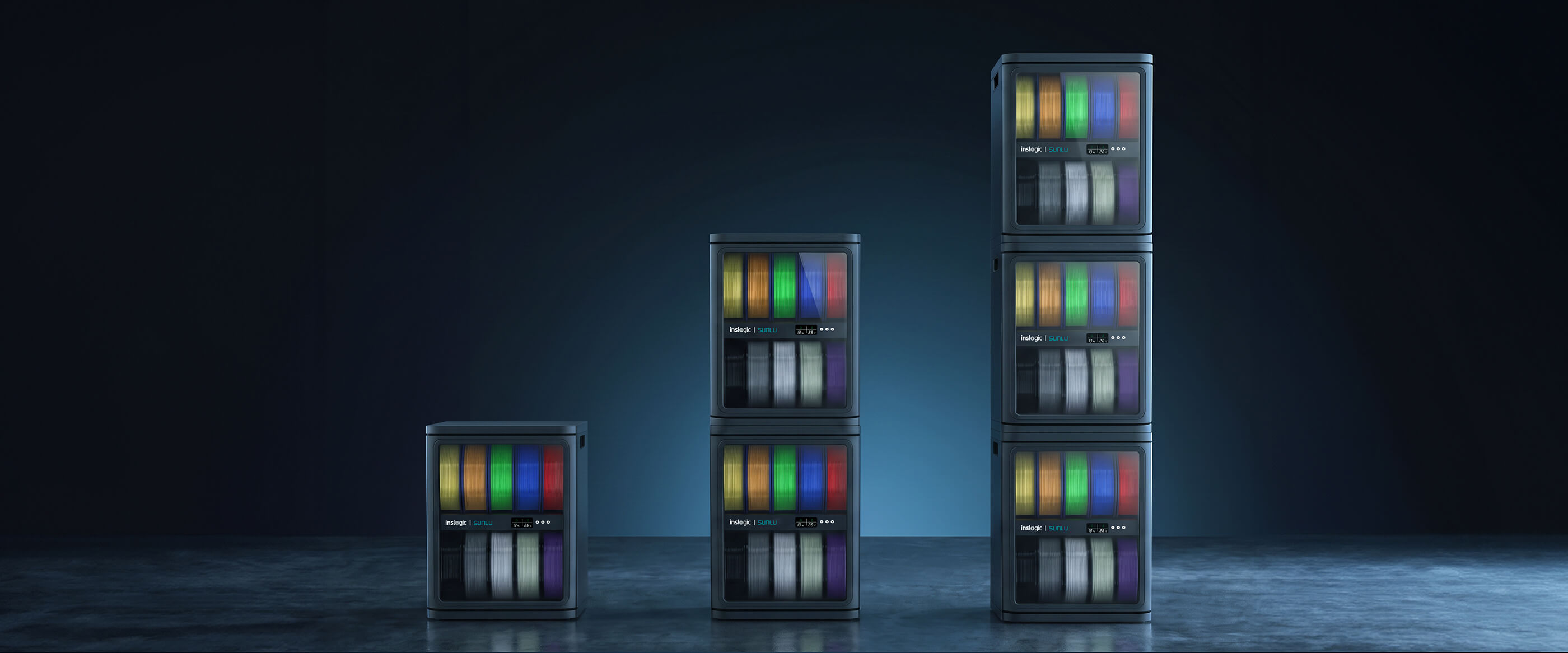
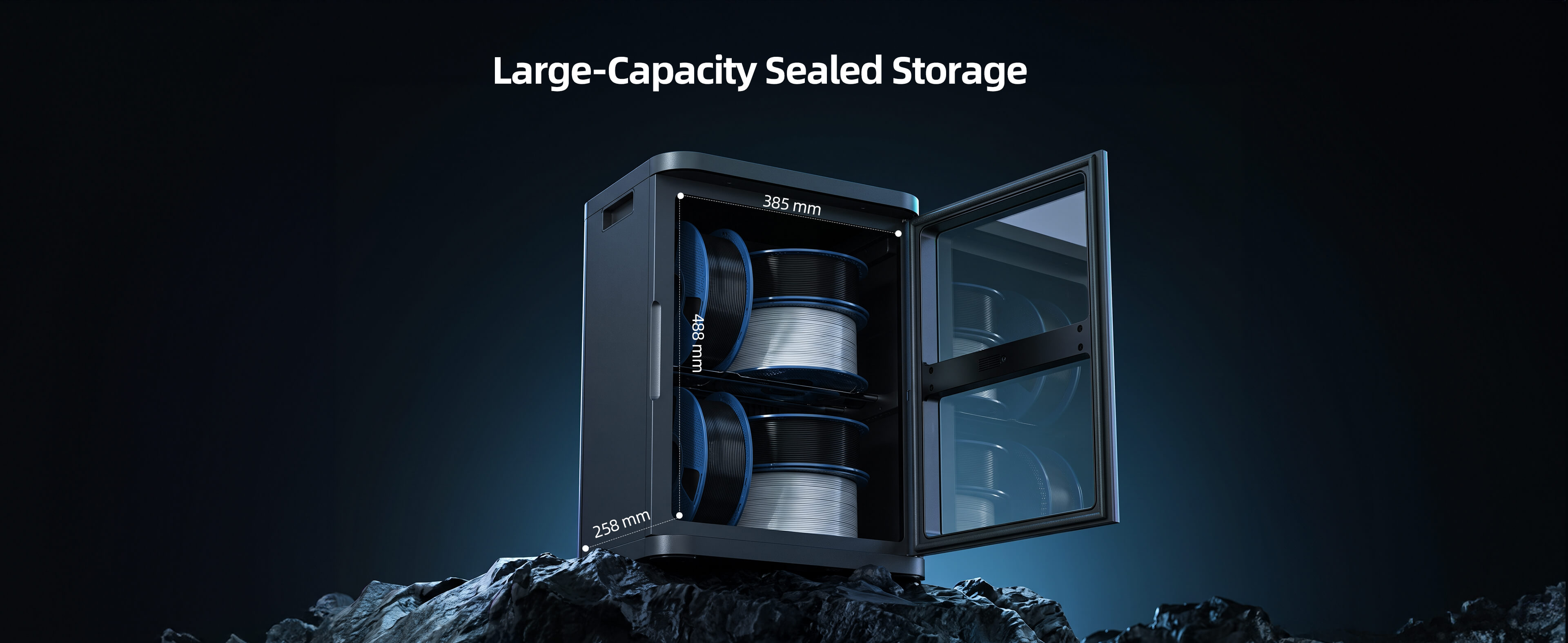
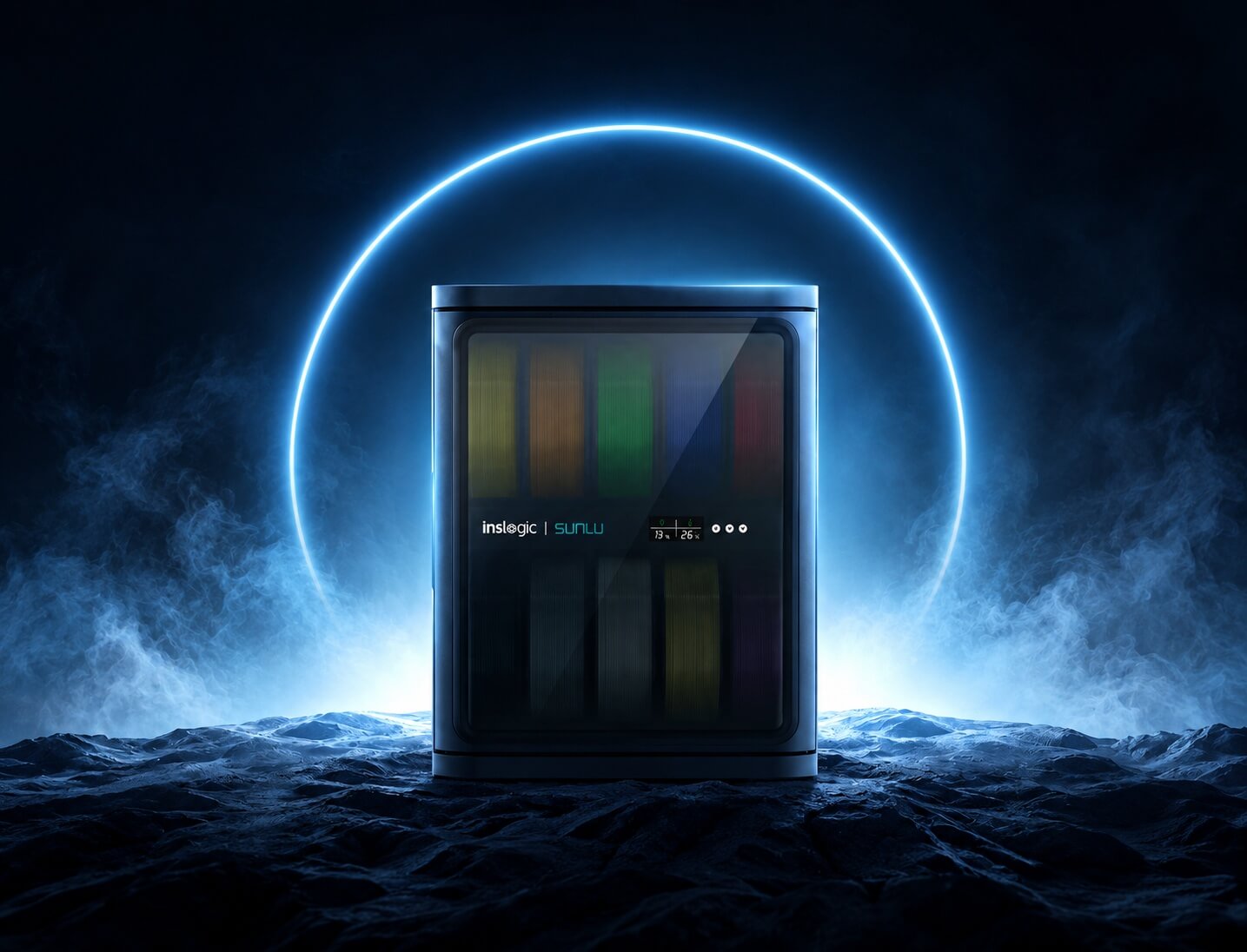
Proper 3D filament storage requires keeping spools sealed and dry. When exposed to humid air, filaments can absorb moisture and cause issues such as stringing, bubbling, and whitening in a print. Materials such as nylon, PVA, and TPU are particularly susceptible because they absorb moisture from the air more readily than other filaments.That’s why we at SUNLU have joined forces with Inslogic to introduce the FilaDC i10, a convenient and reliable filament storage solution.This filament dehumidifier adopts innovative dehumidifying technology while offering generous storage space, a tightly sealed design, low energy consumption, convenient and quiet operation, and multiple safety protections.Molecular Sieve DehumidificationThe FilaDC i10 is based on physical moisture adsorption and smart cycling. During operation, the molecular sieve first adsorbs moisture from the air inside the cabinet. PTC heating then releases the collected moisture and cools down to restore the molecular sieve adsorption capacity. This cycle repeats automatically to provide continuous humidity control, helping maintain a stable storage environment with relative humidity levels between 10% and 45%.By controlling moisture rather than relying on prolonged high-temperature storage, the FilaDC i10 helps reduce moisture-related degradation and keeps filament in a more stable condition during storage.Moreover, the cabinet can be used to protect other moisture-sensitive items, such as camera lenses, powders, electronic components, and tools. This makes it a versatile storage solution. Large Storage CapacityWith an internal space measuring 385 mm long, 258 mm wide, and 488 mm high, the i10 can store up to ten 1 kg filament spools at the same time. It also supports filament spool sizes ranging from 0.25 kg to 5 kg, giving users more flexibility when storing different materials and spool formats.For studios, print farms, and users with growing filament collections, multiple cabinets can be stacked to expand storage capacity while keeping the setup neat and saving valuable floor space. For the best balance of accessibility and everyday usability, stacking up to three cabinets is recommended. Strong and Long-Lasting Moisture ProtectionGood moisture protection starts with a tight seal. The FilaDC i10 Filament Dehumidifying Cabinet features a tight sealing gasket to prevent moisture and three strong magnets that can hold the door firmly closed. This design helps maintain a consistently dry storage environment, keeping filaments in better condition and ready for reliable printing.Low Energy OperationYou may be concerned that, since the FilaDC i10 cabinet needs to stay powered continuously, it might lead to high electricity costs. The truth is, the FilaDC i10 consumes only around 0.23 kWh over 24 hours. This low energy consumption makes it suitable for continuous usage. You can keep it running without worrying that a spike appears in your electricity bill.The figure was tested at 25°C and 60% relative humidity in an empty chamber and actual results may vary depending on your environment. Quiet OperationThe FilaDC i10 also operates at less than 30 dB. Its sound level is comparable to rustling leaves, allowing it to run quietly in homes, offices, workshops, and print rooms.Easy to Use and Ready Out of the BoxWeighing only 5.8 kg and featuring a recessed handle, the FilaDC i10 is easy to position or move when needed. Its integrated design requires no complicated installation, so it is ready to use straight out of the box.Filament can remain inside the cabinet until you are ready to print. Test data shows that PETG filament with an initial moisture content of 0.34% dropped to 0.21% after being stored in the FilaDC i10 for 96 hours.  By comparison, PETG with an initial moisture content of 0.35% increased to 0.39% after being left exposed for the same period. As you can see below, properly stored filament produces cleaner and more consistent results. The print on the left was made with PETG at 0.21% moisture content, while the one on the right used PETG at 0.39% moisture content.  Multiple Safety ProtectionsThe FilaDC i10 includes both hardware and software protection for safer long-term operation. At the hardware level, the PTC heating unit is equipped with a secondary temperature protection switch. At the software level, an intelligent temperature-control system continuously monitors operating conditions. If an excessive temperature is detected, the system provides a real-time warning, adding another layer of protection for the cabinet, filament, and surrounding workspace.The $1 Early Access Pass to the i10 Is Now AvailableThe FilaDC i10 Filament Dehumidifying Cabinet combines reliable room-temperature humidity control, large storage capacity, and convenient operation. It provides a practical way to protect filament quality and support more consistent printing results.The $1 Early Access Pass is now available. Pay just $1 to receive $10 off your FilaDC i10 pre-order, and the discount can be stacked on top of the pre-order price.The product is priced at $199.99, and stay tuned for the pre-order price!Claim Offer

SUNLU Strengthens Its Filament Lineup with Silk 2.0 and PETG 2.0 Materials

Products Knowledge

SUNLU Strengthens Its Filament Lineup with Silk 2.0 and PETG 2.0 Materials

SUNLU continues to expand its 3D printing filament portfolio with PETG 2.0 and Silk 2.0, two materials developed to address common challenges faced by makers while improving the overall printing experience.PETG 2.0: Designed for More Consistent PrintingPETG is one of the most used filament on the market and in the same time sensitive to moisture. When exposed to humidity, water molecules can penetrate the material and interact with its molecular structure, causing problems such as stringing, bubbles, and poor layer adhesion. Our PETG 2.0 has been developed to remove the moisture concern from the head of the users, helping them to achieve more consistent printing results straight out of the box.Our testing demonstrates how moisture content can influence print quality over time. In controlled testing, PETG 2.0 maintained normal tower-tip printing even after being left in the open for 15 days, while other filament brand would experience stringing,bubbles and failures. The testing also highlights the importance of proper filament storage and drying to maintain consistent performance.The testing further demonstrates the benefits of drying PETG 2.0 before printing. After drying at 65°C for 12 hours, the filament was tested again after being exposed to different conditions, allowing us to evaluate how moisture levels affect printing performance.Silk 2.0: A More Refined Silk Finish with Improved PerformanceAlongside PETG 2.0, We are also introducing Silk 2.0, developed to improve upon the visual qualities traditionally associated with silk PLA while addressing some of the performance limitations users may experience with silk filaments.Silk 2.0 delivers a high-gloss, eye-catching surface finish, making it particularly suited to decorative models, display pieces and other projects where appearance is important. SUNLU's testing includes comparisons with existing silk filaments and competing products using brightness measurements to evaluate the visual finish.However, Silk 2.0 is designed to go beyond appearance alone. We highlights its improved notch impact performance, providing an advancement in mechanical performance compared with conventional silk filament. This development addresses a common concern with silk PLA, which can be more prone to brittleness and breakage.With PETG 2.0 focused on more consistent moisture-sensitive printing and Silk 2.0 combining a striking silk finish with improved toughness, We continue to develop materials designed to meet both the functional and creative needs of today's 3D printing community.

Carbon Fiber 3D Printing Filaments Explained

Products Knowledge

Carbon Fiber 3D Printing Filaments Explained

Regular filaments such as PLA and PETG work well for prototypes, decorative models, and many everyday prints. However, these materials may not be suitable for engineering components. Engineering components often need to carry continuous loads, maintain precise dimensions, resist heat, or remain stable during long-term use. These requirements call for filaments with enhanced mechanical and thermal properties.That's where carbon fiber reinforced filaments come in. These filaments can produce parts with higher stiffness, better dimensional stability, and improved strength-to-weight performance. How Does Carbon Fiber Reinforce 3D Printing Filament?In carbon fiber reinforced filaments, short, chopped fibers are mixed into a thermoplastic matrix to enhance the material’s mechanical properties.For example, PA6-CF contains 20% carbon fiber.carbon fiber can help resist bending and deformation. When the part is subjected to a load, the polymer matrix transfers part of the applied stress to the carbon fibers. The fibers then help carry the load and constrain deformation within the polymer matrix. This reinforcing effect increases the composite’s stiffness and allows the printed part to better resist bending and deformation.Carbon fiber can also improve dimensional stability. Chopped fibers can restrict movement within the polymer matrix as the material cools, which helps reduce shrinkage and warping during printing. As a result, carbon fiber reinforced filaments can produce parts that maintain their intended dimensions more consistently.Moreover, carbon fiber offers an excellent stiffness-to-weight ratio, allowing designers to reduce component weight while maintaining the required structural performance. This is particularly valuable in robotics, drones, automotive applications, and lightweight manufacturing equipment. Why Can the Same Carbon Fiber Filament Produce Different Results?A filament’s data sheet describes material potential under specific test conditions. Still, the performance of an actual 3D-printed part can be very different because FDM printing creates a layered and direction-dependent structure.During extrusion, chopped fibers tend to align with the direction of material flow. This can improve strength and stiffness along the printed path. However, the bonds between layers are still mainly created by the thermoplastic matrix. As a result, a part may be strong along the XY plane but considerably weaker in the Z direction.Part orientation is therefore critical. Load-bearing features should be positioned so that major forces follow the strongest print paths whenever possible. A poorly oriented component can fail between layers even when it is made from a high-quality carbon fiber material.Temperature also affects performance. If the nozzle temperature is too low, the material may not fuse properly, leading to weak layer adhesion and internal gaps. A suitable heated bed and controlled build environment can reduce thermal stress, warping, and premature separation.Moisture is another major concern, especially with carbon fiber nylon. Hygroscopic materials absorb water from the air. Wet filament may create bubbles, rough surfaces, inconsistent extrusion, and weaker parts. Drying the filament before printing and storing it in a sealed dry box can significantly improve reliability.Because carbon fiber is abrasive, a standard brass nozzle can wear quickly. A hardened steel, ruby, or other wear-resistant nozzle is usually required. A larger nozzle diameter may also reduce clogging and improve extrusion consistency, depending on the fiber length and material formulation. How to Get the Best Performance in Real ApplicationsSuccessful carbon fiber 3D printing begins with selecting the right matrix polymer. Carbon fiber PETG contains 10% carbon fiber, offering high strength and excellent toughness.Carbon fiber PETG may be sufficient for stable fixtures and machine accessories, while carbon fiber PA is often preferred for functional components requiring better toughness.Part design should reflect the realities of additive manufacturing. Sharp internal corners can concentrate stress, while thin walls and sudden changes in section thickness may create weak points. Adding fillets, using appropriate wall thickness, and reinforcing critical areas can improve durability without greatly increasing weight.Print settings should be validated rather than copied without testing. Nozzle temperature, chamber temperature, layer height, print speed, wall count, and infill strategy all influence the final component. For critical applications, test coupons printed in the intended orientation can help confirm mechanical performance before production.Post-processing may also be useful. Annealing can improve heat resistance and dimensional stability for certain materials, although it may cause shrinkage or distortion. Machining, threaded inserts, and protective coatings can help printed parts meet assembly and environmental requirements. ConclusionCarbon fiber 3D printing filament can offer higher stiffness, better dimensional stability, and a strong stiffness-to-weight ratio compared with many unfilled polymers. However, these advantages do not come from the carbon fiber alone. The matrix polymer, fiber characteristics, part orientation, print settings, moisture control, and part design all influence the performance of the final component.To get consistent results, choose a carbon fiber filament that matches the application and validate the printing conditions for your specific material and printer. With the right combination of material selection, preparation, and printing practices, carbon fiber reinforced filaments can be a practical choice for lightweight, rigid, and dimensionally stable parts.If you are looking for reliable materials for your next project, explore the carbon fiber 3D printing filaments at SUNLU and find a material suited to your printing and application requirements.

What Is Resin 3D Printing and How Does It Work?

Products Knowledge

What Is Resin 3D Printing and How Does It Work?

Resin 3D printing has become widely popular among hobbyists, designers, engineers, and model makers with its capability to produce smooth surfaces and fine details. It suits miniatures, prototypes, jewelry models, decorative parts, and components with small or complex features.But what exactly is resin 3D printing? How does it turn liquid into a solid object? Which resin should you choose? This guide answers these questions and explains everything you need to know before getting started.What Is Resin 3D Printing?Resin 3D printing is an additive manufacturing process that uses ultraviolet light to convert liquid photopolymer resin into solid plastic. The printer creates the object one thin layer at a time from a digital 3D model. Unlike FDM printing, which melts and deposits filament materials, resin printing relies on light curing technology to achieve finer details, smoother surfaces, and higher precision.The main vat photopolymerization methods include SLA, DLP, and MSLA. SLA typically uses a laser to trace each layer. DLP projects a complete layer image, while MSLA directs UV light through an LCD mask. The light systems of these methods differ but they all cure selected areas of liquid resin.How Does Resin 3D Printing Work?The process starts with a digital 3D file. Slicer software can divide the model into thin layers and calculate supports, orientation, and exposure settings. The user then fills the printer vat with compatible liquid resin.In a common desktop LCD printer, the build plate lowers toward the transparent film at the bottom of the vat. UV light passes through the LCD screen and hardens the shape of the first layer. The plate then lifts slightly so fresh resin can flow beneath the cured material. The printer repeats this cycle until the complete object forms on the build plate.The printed part still requires post-processing. A wash can remove uncured resin from the print’s surface. Standard resins should be cleaned with isopropyl alcohol (IPA) or a compatible resin cleaner, while water-washable resins can be cleaned with water. After drying, the part is exposed to UV light to complete the curing process and achieve its intended mechanical properties. Supports can then be removed, and any support marks can be sanded or finished as needed.Throughout the process, users should wear suitable gloves, ensure adequate ventilation, and follow all resin safety guidelines. Uncured resin, contaminated solvent, and used wash water should not be poured down household drains. Always dispose of these materials according to local waste regulations.Types of Resin Used in 3D PrintingThere are many types of 3D print resin, each type having different properties and applications.l Standard resin provides crisp detail, a smooth finish, and straightforward print settings. It’s a solid choice for display models, figurines, visual prototypes, and general hobby projects, though standard resins tend to be more brittle than functional ones.l Toughness resin offers greater impact resistance and durability, making it well suited for enclosures, brackets, tools, and prototypes that need to withstand moderate stress.l Flexible resin produces parts that can bend or compress. Common applications include grips, soft-touch parts, seals, wearable prototypes, and components requiring elasticity. Flexible resin often calls for careful support placement and finely tuned exposure settings.l Water-washable resin lets users clean surface residue with water instead of isopropyl alcohol, simplifying cleanup. The resulting wash water still contains resin and requires responsible disposal.l Engineering resin is formulated for specific technical needs, offering properties such as high heat resistance, stiffness, toughness, or low deformation depending on the formula. Users need to match the resin’s technical data to their printer and application.How Resin Quality Impacts Print ResultsLow-quality resin can undermine the accuracy, appearance, and strength of a print.Dimensional accuracy suffers first. Inconsistent formulas shrink unpredictably and cure unevenly, which throws off holes, walls, joints, and other mechanical features. The result is often warped surfaces, incorrect dimensions, or parts that don’t fit together properly during assembly.Aesthetics take a hit too. Sediment, contamination, or an unstable resin mixture can cause color variation, blotchy patches, and loss of fine texture. Edges that should be crisp can come out soft or uneven.Structural integrity is where poor resin quality shows up most seriously. Uneven curing weakens the bond between layers, leaving parts prone to cracking, delamination, or premature failure under stress.SUNLU Provides High-Quality Resin for 3D PrintingAt SUNLU, we offer a broad selection of high-quality resin for common LCD, DLP, and SLA applications. Our range includes Standard Resin, Standard Plus Resin, Water-Wash Standard Resin, ABS-Like Resin, Water-Wash ABS-Like Resin, Toughness Resin, Flexible Resin, PA-Like Resin, High Clear Resin, and High Temperature Plus Resin.This variety helps you select a formula based on detail, cleanup method, flexibility, toughness, clarity, or heat resistance. For example, our Water-Wash Standard Resin supports water cleanup and produces rigid models with clear details. Our Toughness and ABS-like options suit parts that require more durability than conventional standard resin, while our specialized products meet a range of visual and functional needs.Before use, check your printer’s wavelength requirements and the recommended exposure settings. Shake the sealed bottle as directed and print a small calibration model first. These steps help you achieve consistent results with SUNLU 3D print resin.You can also join the SUNLU Community to ask questions, share your 3D projects, and learn from other 3D printing enthusiasts. ConclusionResin 3D printing uses controlled UV light to build precise plastic objects from liquid photopolymer resin. Its smooth finish and fine detail make it useful for models, prototypes, artistic pieces, and specialized components. For consistent and reliable results, choose high-quality resin that matches your application. Explore SUNLU’s range of 3D print resin to find the right material for your next project.